
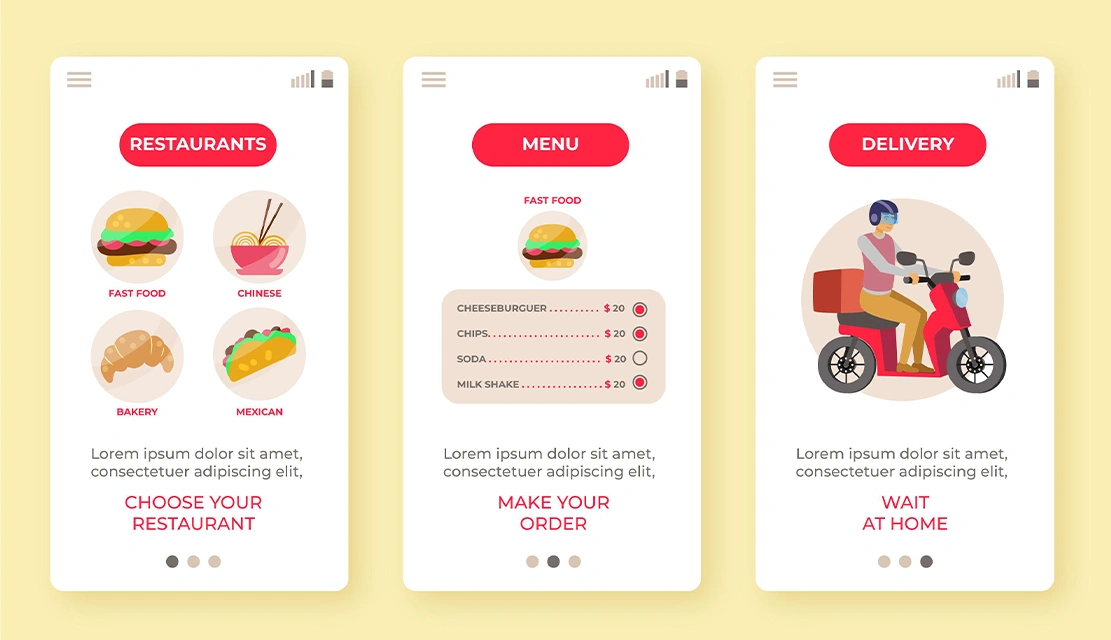
The hamburger menu was the solution to a critical issue when smart phones emerged: how to fit complex navigation into a small screen space. That three line icon is now on millions of websites and apps, from banking websites to enterprise SaaS tools.
But according to research, the hidden navigation makes discoverability much lower by nearly 50% and adds 2.5 seconds on average to the task completion time. For E-Commerce sites, those seconds have a direct effect on the conversion rate. For enterprise applications, they compound over thousands of interactions each day by users.
This provides a decision point for technical leaders: when is hiding navigation a good decision and when is it a decision that will ruin business goals? This guide provides a framework for making that choice based on mobile navigation menu design principles, user behavior patterns, and product strategy.
Hamburger menu is a way to collapse the navigation options with a three-line icon. Once the users tap or click on the icon, a panel displays the complete navigation structure. Designer Norm Cox designed the pattern in 1981 for the Xerox Star workstation, but it became more widespread when the mobile-first design movement was in place in 2010-2014.
The mechanism operates by means of progressive disclosure: presenting users with only what they need at any given time while having other options available. However, there is a usability cost associated with this approach. Users can not view options for navigation without explicit action. They need to recognize icons, tap interaction, scan revealed options and then select their destination. In each step, there is friction and a possibility of not doing it. Applying hamburger menu UX best practices can mitigate these challenges and make hidden navigation effective when used strategically.
Nielsen Norman Group’s quantitative study of 179 users on six websites gives clear evidence on the impact of a hamburger menu.
Discovery rates: Visible navigation was found and used 1.5 times as much as the hamburger menus on mobile. In fact, on desktop, users missed the presence of hidden navigation almost twice as much as visible menu bars.
Task completion time: Users took 2.5 more seconds on average to complete tasks when the navigation was hidden. For an enterprise application with 10,000 daily active users running 20 tasks per session, that is 500,000 more seconds of lost productivity every day.
Perceived difficulty: Users rated tasks 15% more difficult that required interaction with a hamburger menu, although the users successfully performed those tasks.
Platform variation: Hidden navigation was worse for the desktop experience than for mobile. Users anticipate small scales of navigation in phones but they expect to see the menu bars in larger screens.
The business translation: hamburger menus lead to poor feature discovery, slow down workflows and introduce friction in the task completion. For SaaS platforms that sell on the basis of ease of use, this has a direct effect on demo conversion rates and trial-to-paid conversions.
Despite the documented usability concerns, hamburger menus do address specific problems well, when paired with the correct use case.
Single-task mobile applications: Single-task based mobile applications benefit from hamburger menus. Uber’s ride hailing interface has the “request ride” workflow at the forefront. All of the secondary functions reside in the hamburger menu, which helps keep users on the path of converting.
Content-heavy secondary options: When your navigation contains 15+ items with users regularly using only 3-4 primary sections, hamburger menus offer a sense of organization without cluttering the interface.
Mobile: Mobile-first products with desktop parity: Applications with 85%+ traffic coming from mobile devices can consider using hamburger patterns for all screen sizes, providing design consistency and decreasing the complexity of development work.
The strategic test: does hiding navigation help users get their primary goal faster or does it just make your interface look cleaner? The first rationale is product-centric. The second is the designer-centric.
Hamburger menus present accessibility barriers if done incorrectly. For organizations that fall under the compliance requirements of the WCAG 2.1 or Section 508 or the European Accessibility Act, these barriers represent a legal risk.
Semantic HTML structure: The menu toggle has to be a <button> element, not a clickable <div>. Screen readers recognize buttons as interactive controls.
ARIA attributes: Buttons need aria-expanded to signal menu state and aria-label to describe function “Main navigation menu” is better context than generic “Menu.”
Keyboard navigation support: Users need to be able to open the menu with Enter or Space keys, navigate through the menu items using the Tab key, and close the menu using the Escape key. When the menu is closed the focus should be back to the toggle button.
Visual alternatives: Although the three-line icon has attained recognition, 48% of users older than 45 don’t even recognize what it means. There is a benefit to including the word “Menu” next to the icon, and that benefit is discoverability across the board for all demographics.
Compliance standards: The menu toggle must have a minimum contrast ratio (normal text) of 4.5:1 and touch targets should be at least 44×44 pixels.
For enterprise buyers, procurement obstacles are created due to accessibility violations. Government agencies, healthcare organizations, and financial institutions commonly add WCAG 2.1 Level AA compliance requirements to RFP requirements.
When product requirements warrant a hamburger menu, implementation quality makes the decision to help or harm user experience.
Position with purpose: Position the icon in the top-left or top-right corner where users are expecting to find navigation controls. Stay in that location on all the screens so you create muscle memory for the user.
Provide visual transition feedback: Use nice 200-300 millisecond slide-in animations. Instant appearance appears jarring. Absolute maximum 400 milliseconds for animations – 400 milliseconds is too long to delay task completion.
Keep high traffic items visible: Use your analytics data to determine which pages are high traffic, and then give access directly to them by having visible links. Reserve the hamburger menu for second and third level options.
Include contextual menu indicators: Highlight the active section in the hamburger menu to help users understand where they are in the structure of the site.
Test with real users: Conduct moderated usability tests with 5-8 typical users before releasing it. Observing real behavior is more important than design theory.
Alternative navigation patterns are used for solving different problems with different trade-offs.
Tab bars to access core features: Use 3-5 primary options in an always-visible bar at the bottom of the screen. This works great for social media apps and messaging apps where users are frequently switching between main sections.
Bottom navigation for thumb zone optimization: Mobile screens have increased to 6.5+ inches. Bottom navigation bars position options within natural thumb reach, which promotes easier one-handed operation.
Scrollable top navigation for content categories: News websites and e-commerce websites will use horizontal scrollable navigation bars to showcase 8-12 choices of content categories without losing sight of anything.
Sidebar menus for dashboard applications: Enterprise dashboards and productivity applications use persistent sidebar navigation to always have access to core functions. This focuses on feature discoverability, not using the screen space as efficiently as possible.
The decision framework: Align the navigation pattern with the primary workflow of your users. If they do one primary task with the occasional detour, hamburger menus are good. If they often switch between 3-5 core features then use tab bars. If they need to have constant access to 10+ tools, they need to have visible navigation.
Effective navigation architecture involves analyzing user behavior patterns, business conversion goals and technical constraints before choosing any UI pattern.
For a healthcare SaaS client, we found that 70% of user sessions were only three core workflows. We reconfigured their navigation so that those three functions were visible at all times and put 12 administrative options in a hamburger menu. Task completion time was reduced by 30% and support tickets in relation to navigation by 40%.
For a fintech mobile application, users frequently visited six different features over the course of each of their sessions. A hamburger menu would take 12+ taps per session just to get into core banking functions. We made a bottom tab bar and it improved on the rate of using features in all six categories.
We at UX Stalwarts offer their UX design services to B2B tech companies that conceptualize and design all aspects of UX, from user research to interaction design and conversion optimization to cohesive digital experiences that support the business’s goals.
The hamburger menu conceals navigation options behind a three line icon. It’s controversial because although it’s more space-efficient on the screen it makes navigation less discoverable by almost half, and makes it take longer to complete the task. The debate focuses on whether space savings is worth the cost of usability – a question that is dependent on particular product needs and user behavior patterns.
Use hamburger menus for mobile applications that have a single main task, for applications where you have a lot of secondary options which people don’t use often, and analytics show that 85%+ of users access only 3-4 features regularly. Avoid them for applications in which your users need frequent access to multiple features.
Use a <button> element for the toggle, use aria-expanded and aria-label attributes to communicate the menu state to screen readers, provide full keyboard navigation support, ensure that WCAG color contrast ratios are met, and provide the text label “Menu” in addition to the icon to support users who don’t recognize the three line symbol.
Effective alternatives are tab bars (3-5 primary options always visible), bottom navigation (optimized for ergonomics of the thumb zone), scrollable top navigation (swipe through categories horizontally), priority+ patterns (highlight items with overflow in “More” menu) and sidebar menus for complex applications. The best option is based on how many features you need to expose and how often users switch between them.
UX and SEO are no longer separate efforts; they work best as one. Search engines reward websites that are fast, intuitive, and actually useful because these are the qualities that are associated with actual user satisfaction. While good technical performance is important to getting you in the rankings, good design, good structure and good mobile-friendly experiences are what drive engagement and conversions.
Businesses that match UX and SEO from the ground up don’t simply benefit from visibility; they benefit from trust, quality traffic, and returns. In the current search landscape, better design isn’t a nice to have, it’s a competitive edge.
Yes, when vital conversion paths exist behind hamburger menus. Studies show that changing key actions from hamburger menus to visible navigation can boost engagement by 20-40%. However, for single task applications, hamburger menus can be a good way to increase conversions because the navigation distraction is removed from the main task. The impact is based on whether your conversion objective will benefit from focus or discovery.

C – 81C, Sector – 8, Noida 201301, India


1025 Beamon Drive, Franklin 37064 Tennessee, USA
Sveavagen 34 111 34 Stockholm, Sweden
A-10, Sahastradhara Rd, Doon IT Park, Dehradun, Uttarakhand

© 2026 UX STALWARTS. All rights reserved.

