
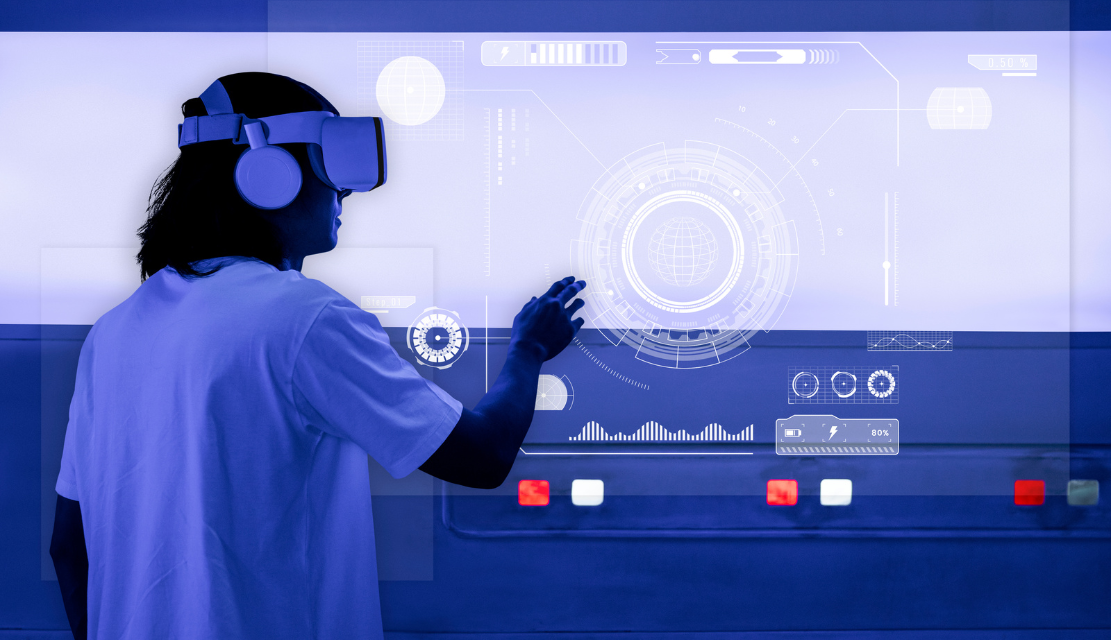
AI is no longer a feature bolted onto digital products. It is becoming the operating logic of how those products work, adapt, and respond. Interfaces that once required users to navigate static menus and predefined workflows are evolving into systems that anticipate intent, restructure themselves in real time, and act on behalf of users with minimal input.
This shift is not a future scenario. It is happening now. According to McKinsey’s 2026 research on AI-native experiences, the adoption challenges organizations face with AI are not technical. They are experiential. The products that succeed are the ones where AI feels invisible, trustworthy, and genuinely useful. The products that fail are the ones where AI creates confusion, removes control, or breaks the user’s confidence.
For design teams, product leaders, and engineering organizations, the question in 2026 is no longer if AI will change UX. It is how to design AI-driven experiences that people actually trust and use.
The traditional UX model is built on fixed layouts, predetermined navigation paths, and screens designed for a generic user. AI is dismantling that model. In its place, adaptive systems are emerging that reconfigure themselves based on context, behavior, and individual user patterns.
An enterprise dashboard no longer needs to display the same twenty metrics to every user. AI can surface the three most relevant data points based on the user’s role, recent activity, and current workflow. An ecommerce platform no longer needs to present the same category page to every visitor. The layout, product order, and promotional content can shift based on browsing history, purchase patterns, and real-time intent signals.
This is not surface-level personalization like swapping a greeting or recommending related products. Adaptive UX restructures the interface itself. Navigation reorders based on frequency of use. Features that a particular user never accesses recede into the background. Actions the user performs repeatedly become more prominent and accessible.
For B2B products, the impact is especially measurable. An enterprise tool that adapts to each user’s role and workflow reduces training time, increases feature discovery, and lowers the volume of support requests. Instead of designing one rigid interface for thousands of users with different needs, product teams design a system of rules that produces the right interface for each individual.
The design challenge is substantial. Adaptive interfaces must feel helpful, not unpredictable. Users should sense that the product understands them without feeling surveilled. The line between intelligent and intrusive is thin, and crossing it erodes the trust that AI-driven UX depends on. Teams building adaptive systems should invest in UX research that tracks how users respond to interface changes over time, not just at the moment of first exposure.
Personalization responds to what users have already done. Prediction responds to what they are about to do. This distinction matters because it moves UX from reactive to proactive.
Predictive UX uses behavioral data, contextual signals, and machine learning models to anticipate the user’s next likely action and prepare the interface accordingly. A project management tool can detect that a user consistently creates a follow-up task after closing a ticket and begin pre-populating the follow-up form before they click. A banking app can recognize that a user checks their balance every Monday morning and surface it immediately upon login, reducing the steps to zero.
The value for businesses is direct: fewer steps mean faster task completion, lower friction, and higher retention. Users who feel that a product anticipates their needs stay longer and engage more deeply.
However, predictive UX requires careful guardrails. Predictions must be accurate enough to feel helpful. A wrong prediction that forces the user to undo an automated action is worse than no prediction at all. Products should always offer a clear path to override, reset, or ignore the system’s suggestions. Prediction should reduce effort, not remove agency.
The interaction model of the future is not exclusively visual. It is increasingly conversational. Users are moving from clicking through menus to asking questions, issuing instructions, and delegating tasks through natural language.
This shift is visible across product categories. Customer support has evolved from rigid FAQ pages to AI-powered chat systems that understand context, maintain conversation history, and resolve issues across multiple turns. Internal tools are adding command-based interfaces where employees can type or speak requests instead of navigating through layers of settings. Healthcare platforms are introducing conversational triage flows that guide patients through symptom assessment using dialogue rather than form fields.
For product teams, this evolution demands new design competencies. Conversational ui ux requires designers to think about turn-taking, error recovery, tone, and intent disambiguation rather than just layout and visual hierarchy. Designing a conversation is fundamentally different from designing a screen. The flow is non-linear, the user’s input is unpredictable, and the system must handle ambiguity gracefully.
Beyond conversation, agentic AI represents the next layer. Agents do not just respond to commands. They execute multi-step tasks autonomously, working in the background on the user’s behalf. A travel planning agent can research flights, compare hotels, and present a shortlist without the user opening a single search page. A procurement agent can monitor vendor pricing, flag anomalies, and generate comparison reports before the buyer requests them.
The UX challenge for agentic systems is trust and transparency. Users need to understand what the agent is doing, verify its outputs, and override its decisions when needed. Without these controls, autonomy becomes anxiety. Teams investing in AI interface design should prioritize status visibility, audit trails, and clear delegation boundaries from the earliest design phase.
One of the most persistent questions in the design community is whether AI will replace UX designers. The evidence from 2026 points firmly toward augmentation, not replacement.
AI tools are accelerating specific tasks that previously consumed significant design hours. Layout generation, component suggestions, content drafts, and prototype creation can now be handled in minutes rather than days. According to the Nielsen Norman Group’s State of UX 2026 report, core AI technologies are improving their capabilities, but human direction, curation, and verification remain essential for producing products that genuinely serve users.
The designer’s role is evolving, not disappearing. The most valuable designers in 2026 are those who combine traditional UX craft with AI literacy: the ability to evaluate AI-generated outputs, train models with the right data, design for probabilistic systems, and maintain ethical standards when algorithms make decisions that affect real people.
AI handles the repetitive and pattern-driven tasks. Humans handle judgment, empathy, strategy, and the nuanced decisions that differentiate a product people tolerate from one they trust. The collaboration works best when teams understand what each side contributes and where human oversight remains non-negotiable.
This division of labor also changes how design teams are structured. Organizations that invest in AI literacy for their designers, training them to evaluate AI outputs, write effective prompts, and design for probabilistic systems, gain a significant productivity advantage. Those that treat AI tools as a replacement for design thinking end up with polished interfaces built on untested assumptions.
Every AI-driven UX improvement depends on a single foundation: user trust. Without it, adaptive interfaces feel invasive, predictions feel presumptuous, and agents feel reckless.
Building trust in AI-powered products requires consistent application of several design principles. Transparency means showing users why the AI made a particular recommendation or took a specific action. Control means giving users the ability to adjust, override, or disable AI behaviors. Consistency means ensuring the AI performs reliably across sessions rather than producing erratic outputs. Recovery means designing graceful fallback paths for when the AI gets it wrong.
Effective chatbot ux design exemplifies this challenge at a concentrated scale. A chatbot that admits uncertainty, offers a human handoff, and remembers prior interactions builds trust incrementally. One that provides confidently wrong answers or restarts the conversation from scratch after every turn destroys it.
Trust is not a feature to be added at the end. It is the structural requirement that every other AI-driven UX decision must satisfy. Teams that build trust into their UX strategy from the start will create products that users adopt and retain. Teams that treat it as an afterthought will build products that users abandon the moment a more trustworthy alternative appears.
AI is redefining UX not by replacing design thinking but by expanding what design can achieve. Interfaces are becoming adaptive, predictive, conversational, and autonomous. The products that lead this shift are the ones that treat AI as infrastructure, not spectacle, and user trust as the foundation, not the finish line.
For product teams navigating this transition, the priority is clear. Invest in the research, strategy, and design infrastructure that makes AI feel invisible, controllable, and valuable. The future of UX belongs to teams that design with intelligence and humanity in equal measure.
Talk to UX Stalwarts about designing AI-powered experiences that earn user trust
AI is transforming UX design by enabling adaptive interfaces that restructure based on user behavior, predictive systems that anticipate user needs before they act, conversational interactions that replace traditional navigation, and agentic AI that completes multi-step tasks autonomously. The designer’s role is shifting from creating static screens to designing intelligent systems that learn, adapt, and respond in real time.
No. AI is augmenting UX design, not replacing it. AI tools accelerate repetitive tasks like layout generation and prototyping, but human judgment remains essential for strategy, user empathy, ethical decision-making, and the nuanced design choices that differentiate products. The most effective teams in 2026 combine AI speed with human oversight and creative direction.
Predictive UX uses behavioral data and machine learning to anticipate a user’s next action and prepare the interface accordingly. Instead of waiting for users to navigate to what they need, the product surfaces it proactively. This reduces friction, speeds up task completion, and creates experiences that feel intuitive and responsive. The key requirement is accuracy and the ability for users to override predictions when they are incorrect.
Trust determines whether users adopt or abandon AI-powered features. If an AI recommendation feels unexplained, an adaptive interface feels unpredictable, or an automated action cannot be reversed, users lose confidence and disengage. Building trust requires transparency about how AI decisions are made, user control over AI behaviors, consistent performance, and clear recovery paths when the system makes mistakes.
Businesses should start by auditing their current user experience for opportunities where AI can reduce friction, improve personalization, or automate repetitive tasks. They should invest in user research to understand how their audience responds to AI-driven changes, build trust mechanisms into every AI feature, and partner with design teams experienced in AI interface design. The goal is to integrate AI in ways that feel helpful and invisible rather than disruptive or gimmicky.

C – 81C, Sector – 8, Noida 201301, India


1025 Beamon Drive, Franklin 37064 Tennessee, USA
Sveavagen 34 111 34 Stockholm, Sweden
A-10, Sahastradhara Rd, Doon IT Park, Dehradun, Uttarakhand

© 2026 UX STALWARTS. All rights reserved.

