
Your customer service team responds to 10,000 inquiries per month. Every time there is an interaction, it costs $15 in staff time and platform fees. Implementing well-designed conversational AI could save that by 70% – saving $105,000 every month and improving response times from hours to seconds. Yet most businesses implement chatbots that frustrate users with robotic responses and confuse them when it comes to navigation, as well as their inability to handle basic requests. The problem isn’t AI capability – its interface design. Users abandon use of poorly designed conversational experiences at higher rates, but well-designed voice and chat interfaces boost engagement by 72% and are worth $100 in return for each $1 spent on UX. By 2026, 70% of customer interaction will be voice-assisted and conversational AI. In order to be successful, one has to understand how humans naturally communicate and design interfaces that feel effortless rather than mechanical.
Conversational interfaces are fundamental changes in the human-computer interface. Unlike traditional graphical interfaces that require a user to learn buttons, menus and navigation patterns, conversational UX capitalizes on the most natural skill of humans – communication using language. This makes the learning curves quite dramatic.
Conversational AI Market Size, by Offering, Grows From $13 Billion in 2024 to $50 Billion by 2030, Driven by Proven Business Outcomes. Companies using a well-designed chat interface notice 36% increase in customer satisfaction score. Voice-enabled e-commerce converts 44% more than traditional checkout flows.
The cost reduction is the driving factor for adoption. Chatbots manage routine questions for $0.50 per interaction as compared to $15 for human agents. This efficiency scales – businesses that have resolved 134 million chats through conversational AI in 2023 saved around $2 bn in support costs, while ensuring quality.
However, poor design is a value destroyer. The majority of users abandon apps with poor UX. Chatbots giving irrelevant responses or being unable to escalate to humans when necessary frustrates the customer and hurts the brand image. The difference between successful and failed conversational interfaces is all in design execution.
Voice and chat interfaces address similar objectives in different ways of interaction, and their design approaches should be different.
Voice UI eliminates the screens. Users speak commands and get spoken responses (ideal situation is hands-free, i.e. driving, cooking or accessibility). Voice works brilliantly for simple, discrete tasks: setting timers, checking the weather, and controlling smart home devices. It has problems with complex information that needs visual confirmation or detailed data presentation.
The voice design requires brevity. Users can’t skim spoken responses like a text. Information must flow in a conversational way with natural pauses in it. Errors are more expensive – users can’t just quickly correct a typo by retyping. They have to repeat whole requests, which is a source of more friction.
Chat interfaces combine a conversational interface with a visual element. Users type in or speak out requests but get responses showing text, buttons, images and interactive elements. This multimodal approach is more capable of handling complexity – displaying product catalogues, confirming multi-step transactions or showing data visualisations.
Asynchronous interaction is available in chat. Users are able to pause their conversations, return and review past conversations. Voice requires real-time attention. Understanding these basic differences informs design choices – trying to fit voice patterns into chat interfaces or vice versa will lead to poor experiences.
Transparency over AI capabilities helps build trust right away. Always identify interfaces as AI-powered instead of human agents. Users adjust expectations accordingly, accepting limitations they wouldn’t put up with from human representatives. Provide obvious signs of Artificial Intelligence in chat interfaces. In voice systems, say “This is an automated assistant” during greetings.
Control Expectations: Progressive disclosure. Don’t sell it with unlimited capabilities. State what the system can and can’t handle: “I can help with order tracking, returns and product questions” lets users know exactly what to expect. When the requests overload capabilities, escalate to humans gracefully instead of fabricating responses.
Design for failure gracefully. Users will be unpredictable in the way they phrase their requests; they may use ambiguous language or ask questions that are not covered by the system. Instead of saying “I don’t understand”, try offering useful alternatives: “I couldn’t find information about that specific product, but I can show you similar products or connect you with a specialist.”
Provide feedback on an ongoing basis. In a chat show, typing indicators when the system is processing requests. In voice, acknowledge requests immediately: “Let me check that for you” prevents awkward silence. Confirm understanding before taking actions: “I’ll cancel your order #12345. Should I proceed?”
Keep conversations concise. Limit bot messages to 3 lines max before asking for user input. Users lose attention with the long monologues. Break down complicated information into information chunks that allow for questions.
Message bubble design has an impact on readability and user involvement. Use different colours for user messages and responses from the bot (in most cases, blue for users and grey for bots). Studies show dark blue bubbles with white text perform 90% better in readability than do other combinations that are lighter.
Position elements in critical positions. Put input fields at the bottom of screens, following the flow of normal conversation, and less straining the eyes. This positioning results in an improved response speed of 40%. Keep input permanently visible – users shouldn’t scroll to find where to reply
Implement buttons for quick responses in order to implement common actions. Instead of requiring users to type in their requests, provide tappable options: “Track Order,” “Request Refund,” “Speak to Agent.” This reduces the friction and directs the users in the right direction to achieve success. Display 3-5 choices maximum so as not to overwhelm the choice.
Make conversation history easily displayed. To allow users to follow dialogue flow, use timestamps, read receipts and avatars. When conversations are taking place over multiple sessions, give context: “Welcome back! Last time you covered your order delivery.”
Design for mobile first. 68% of e-commerce traffic is mobile. Touch targets must be of a minimum of 48×48 pixels with space. Test interfaces on actual devices–desktop designs don’t translate well to small screens without optimisation.
Design for natural speech patterns, not keyword matching. Users don’t talk in search queries – they use entire sentences with context. “What’s the weather?” versus “weather forecast Boston today” is more natural. Modern NLP deals with conversational phrasing, hence design for human communication.
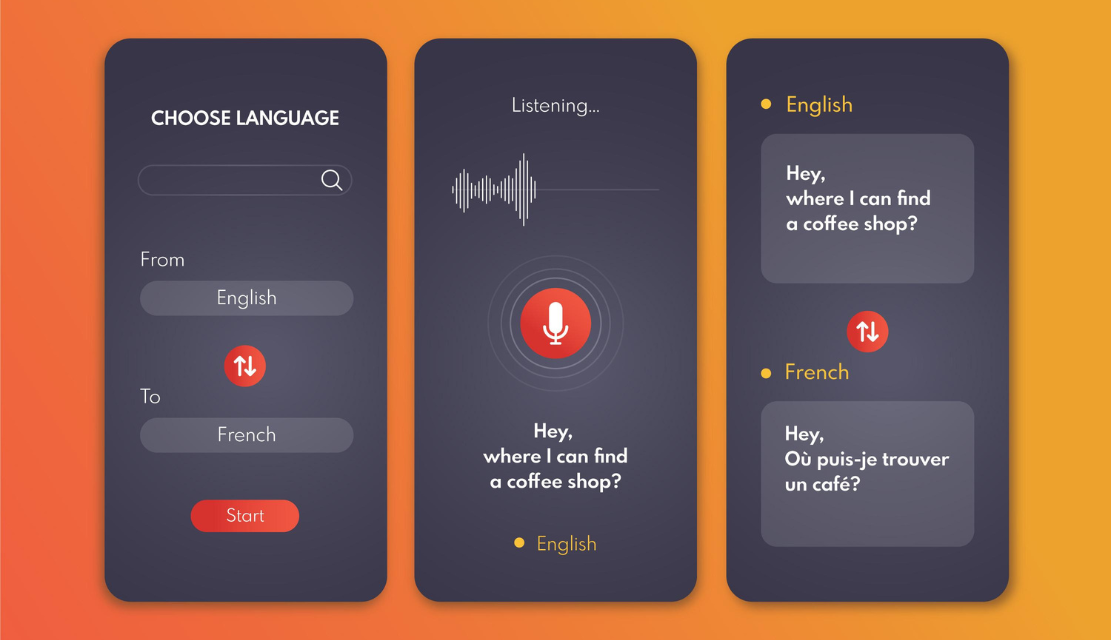
Provide instant audio feedback. When users call out to voice assistants, play subtle audio cues that indicate that your voice assistants are active. Silence leads to the uncertainty of whether the system heard the request or not. Short tones or visual cues (animations pulsing) are used for active listening.
Conversational handle errors. Don’t just say “I didn’t understand” when voice recognition doesn’t work. Ask clarifying questions: “Do you want to check the order status, or do you want to make a new purchase?” Offer alternatives so that conversations continue.
Design for awareness of context And by 2026, voice systems remember conversation history, pronoun and implicit references. “Order a pizza,” then “make it large” requires the system to keep the pizza in mind. Design dialogue flows anticipate natural follow-up flows.
Multimodal interfaces are the ones in which inputs such as voice, text, visual, and gesture work together without any hassle. Users can say requests while seeing visual confirmation, then tap buttons to make actions. This flexibility allows for different situations – when speaking on the phone while driving, typing in quiet environments, or when it is complex tasks or a mix of different modes.
Agentic AI does not wait for commands to operate. Instead of users asking for shipping updates, the systems proactively notify when shipping delays are encountered. Rather than users having to request reordering, interfaces recommend that they be replenished based on usage patterns. This shift means that designing for control of users always allows for override and explains what your agent is doing.
On-device processing cuts down the latency time from 1 to 3 seconds to less than 200 milliseconds – the difference between natural conversation and walkie-talkie exchanges. This speed allows immediate dialogues with immediate responses. Design for immediate feedback rather than state loading.
First-party data personalisation to build tailored experiences. Systems remember the likes, previous interactions and context. Design for progressive learning–interfaces that become better the more they are used, as opposed to each interaction being isolated.
Use voice for hands-free applications, discrete, simple tasks and accessibility. Use chat for complex information that requires a visual confirmation or a multi-step process, or when users want to have a history of their conversation.
No. Be clear about being A.I. and still sound conversational and helpful. Users calibrate their expectations for AI agents and grow frustrated when systems that act as if they are human beings fail to meet human expectations.
A maximum of three lines before getting input from the user. Break down complex information into digestible chunks of information. Users desert conversations that involve long monologues.
When there are too many requests for the system to handle, people show frustration, or tasks involve judgment and empathy. Make escalation frictionless. One click, no repetition of information.
Track completion rates, average conversation length, escalation frequency, user satisfaction scores and cost-per-interaction. A/B test variations to determine what drives engagement
Upwards forcing users to learn rigid command structures instead of accepting natural language. Design for the way humans communicate, not for how engineers have thought of how they should.
Stop Deploying Frustrating Chatbots.” Find out how the AI interface design expertise of UX Stalwarts helped 1,250+ clients to build chat and voice experiences their users actually want to use. Contact UX Stalwarts today for human-centred conversational UX design that turns your AI assistants into business assets.

C – 81C, Sector – 8, Noida 201301, India


1025 Beamon Drive, Franklin 37064 Tennessee, USA
Sveavagen 34 111 34 Stockholm, Sweden
A-10, Sahastradhara Rd, Doon IT Park, Dehradun, Uttarakhand

© 2026 UX STALWARTS. All rights reserved.

