
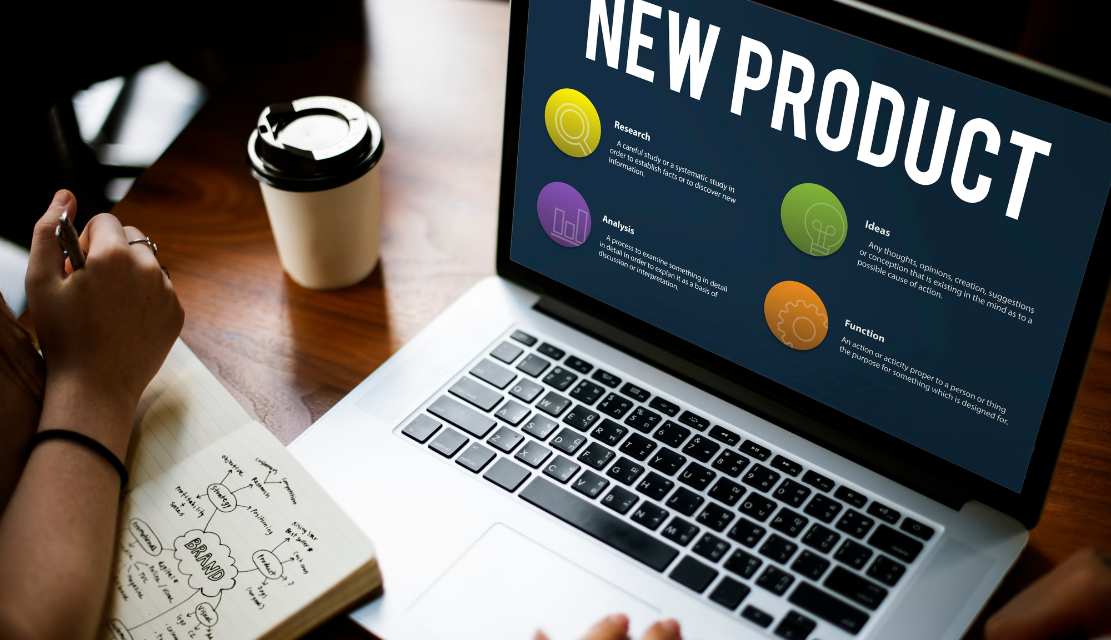
Every digital product has a shelf life. Not because the code stops working, but because user expectations evolve, markets shift, competitors raise the bar, and what felt modern two years ago starts feeling outdated. Product redesign is how businesses close the gap between where their product is and where their users need it to be.
But redesign is not a cosmetic refresh. Changing colors, updating fonts, and swapping icons is not redesign. It is decoration. A true product redesign re-examines how users interact with the product, identifies where friction exists, and restructures the experience to deliver measurably better outcomes.
According to Forrester Research, every dollar invested in UX design can return up to $100, representing a potential ROI of 9,900%. But the inverse is also true: a poorly executed redesign can alienate existing users, disrupt workflows, and destroy the trust a product has built over years. This guide covers the full scope of product redesign, from recognizing when it is needed to executing it without losing the users who already depend on your product.
Not every product problem requires a redesign. Some issues can be resolved through incremental improvements, bug fixes, or feature updates. A full redesign becomes necessary when the problems are structural rather than surface-level.
Declining engagement and retention. If users are logging in less frequently, abandoning core workflows, or churning at rates that cannot be explained by external factors, the product experience itself may be the cause. Analytics that show consistent drop-offs at specific points in the user journey indicate friction that minor fixes cannot resolve.
Outdated interaction patterns. A product built five years ago may use navigation models, input methods, or visual patterns that no longer match how users expect to interact with software. What was standard in 2021 can feel clunky in 2026, especially as AI-driven and adaptive interfaces raise the baseline for usability.
Market and competitive pressure. When competitors launch products that are faster, cleaner, and more intuitive, staying with an outdated experience becomes a retention risk. Users compare every product to the best experience they have encountered, regardless of category.
Business model evolution. If the business has expanded into new markets, added new user segments, or changed its revenue model, the existing product architecture may no longer support these changes. A redesign aligns the product experience with the current business reality.
Technical debt. When the codebase is so fragile that adding new features introduces bugs, slows performance, or requires workarounds, a redesign that includes front-end modernization may be the most efficient path forward.
A UX audit is the most reliable way to determine whether a product needs a redesign or whether targeted improvements will suffice. It provides a structured assessment of usability issues, performance gaps, and competitive positioning before any design work begins.
Product redesign is not a single activity. It exists on a spectrum, and choosing the right scope is critical to success.
Visual refresh. The product’s functionality and information architecture remain unchanged, but the visual layer is updated: typography, color palette, iconography, spacing, and component styling. This works when the product’s UX is sound but its appearance feels dated.
UX restructuring. The product’s core workflows, navigation, and information architecture are redesigned based on user research. This is the most common and impactful type of redesign, addressing how users move through the product and where they encounter friction.
Full platform redesign. Both the visual layer and the underlying UX architecture are rebuilt, often accompanied by front-end code modernization. This is appropriate when the product has accumulated significant design and technical debt.
Feature-specific redesign. A single critical workflow, such as onboarding, checkout, or search, is redesigned while the rest of the product remains unchanged. This reduces risk by limiting scope while targeting the highest-impact area.
The right type depends on the findings from research and audit. Jumping to a full platform redesign when a UX restructuring would solve the problem wastes budget and introduces unnecessary risk.
Before any design work begins, the team needs a clear picture of the current state. This involves reviewing analytics to identify drop-off points, conducting user interviews to understand pain points, running usability tests to observe where users struggle, and performing a competitive analysis to benchmark against market leaders.
The research phase also involves stakeholder alignment. Product leaders, engineering teams, and customer-facing roles bring different perspectives on what is working and what is broken. Aligning these perspectives early prevents conflict during execution.
A redesign without defined success metrics is guesswork. Before starting, the team should establish specific, measurable outcomes the redesign must achieve. These might include reducing task completion time, increasing conversion rates, lowering support ticket volume, or improving Net Promoter Score.
These metrics serve as the evaluation framework after launch. They also help prioritize design decisions during execution. When two design directions are equally viable, the one that better supports the defined metrics wins.
With research complete and goals set, the team restructures how information is organized and how users move through the product. This step involves creating revised sitemaps, user flow diagrams, and content hierarchies that reflect what the research revealed about user behavior and expectations.
This is the structural foundation of the redesign. Getting it wrong means building a visually polished product on top of a confusing navigation model. Teams offering ui ux consulting services to enterprise clients know that this phase determines whether the redesign succeeds or fails.
Low-fidelity wireframes translate the new information architecture into screen-level layouts. They define where elements go, how content is prioritized, and how users transition between screens. At this stage, visual design is intentionally minimal. The focus is on structure, hierarchy, and flow.
Once wireframes are validated, interactive prototypes allow the team to simulate the redesigned experience and test it with real users before committing to visual design and development. Teams that invest in prototyping catch usability issues at a fraction of the cost of fixing them post-launch.
With the structure validated, the visual layer is applied: typography, color systems, iconography, spacing, and component design. For products with multiple surfaces, a design system ensures consistency across every screen and platform. Aesthetics serve function, not the other way around.
The redesigned product moves into front-end development, where the design system is translated into production code. QA testing validates that the implementation matches the design specification and meets accessibility standards.
Launch strategy matters as much as the redesign itself. Rolling out changes gradually, providing in-product guidance for returning users, and monitoring adoption metrics ensures the transition does not alienate the existing user base.
Redesigning without research. Skipping the audit and research phase is the most common and most expensive mistake. Teams that redesign based on stakeholder opinions rather than user data build products that serve internal preferences instead of actual user needs.
Changing too much at once. A full overhaul that alters every workflow, navigation pattern, and visual element simultaneously overwhelms returning users. Phased rollouts and contextual onboarding help users adapt to changes incrementally.
Ignoring existing users. New users are important, but a redesign that prioritizes acquisition at the expense of existing user workflows risks losing the people who already generate revenue. Test the redesign with both new and returning users to ensure it serves both.
Treating it as a one-time event. A product redesign is not a finish line. It is a reset. After launch, continuous monitoring, user feedback, and iterative improvement must follow. The best redesigns are the beginning of a more disciplined design practice, not the end of one.
Even the most experienced ui ux design companies in india emphasize that post-launch iteration is where the real value of a redesign compounds. The initial launch establishes the new baseline. Ongoing optimization builds on it.
A successful product redesign produces measurable improvements across multiple dimensions:
These outcomes do not happen by accident. They result from a disciplined process that starts with research, maintains user focus throughout execution, and commits to measurement after launch. Organizations that want to approach redesign with this level of rigor should partner with a team experienced in product design and UX strategy to ensure the process is structured for impact from the first day.
Product redesign is one of the highest-impact investments a business can make, but only when it is grounded in research, scoped correctly, and executed with discipline. A redesign driven by user data and measured against clear business metrics transforms a struggling product into one that earns adoption, builds trust, and delivers long-term value.
The products that stay relevant do not avoid change. They manage it deliberately. They audit before they design. They prototype before they build. They measure after they launch. And they treat the redesign as the foundation for continuous improvement.
Talk to UX Stalwarts about your product redesign
A business should consider a product redesign when user engagement and retention are declining, core workflows produce consistent friction, the visual and interaction design feels outdated compared to competitors, or the business model has evolved beyond what the current product supports. A UX audit is the most reliable way to determine whether a full redesign is needed or whether targeted improvements will address the issues.
A visual refresh updates the product’s appearance, including typography, colors, icons, and spacing, without changing how users navigate or complete tasks. A full product redesign restructures both the visual layer and the underlying user experience, including information architecture, user flows, and interaction patterns. The right choice depends on whether the product’s usability issues are surface-level or structural.
Timelines vary based on product complexity and scope. A feature-specific redesign may take four to eight weeks. A full UX restructuring for a mid-complexity product typically requires three to five months. A complete platform redesign with front-end modernization can span six months or longer. Investing more time in the research and prototyping phases typically reduces total project time by catching issues before they reach development.
Businesses can minimize disruption by rolling out changes gradually rather than all at once, providing contextual onboarding that explains new navigation and workflows, testing the redesign with both new and returning users before launch, and monitoring adoption metrics closely after release. Clear communication to existing users about what is changing and why also reduces friction and builds trust.
Key metrics include task completion time, drop-off rates at critical workflow points, conversion rates, session frequency, feature adoption rates, Net Promoter Score, customer satisfaction scores, and support ticket volume related to usability. Comparing these metrics before and after the redesign provides a clear picture of whether the investment delivered measurable results.

C – 81C, Sector – 8, Noida 201301, India


1025 Beamon Drive, Franklin 37064 Tennessee, USA
Sveavagen 34 111 34 Stockholm, Sweden
A-10, Sahastradhara Rd, Doon IT Park, Dehradun, Uttarakhand

© 2026 UX STALWARTS. All rights reserved.

