
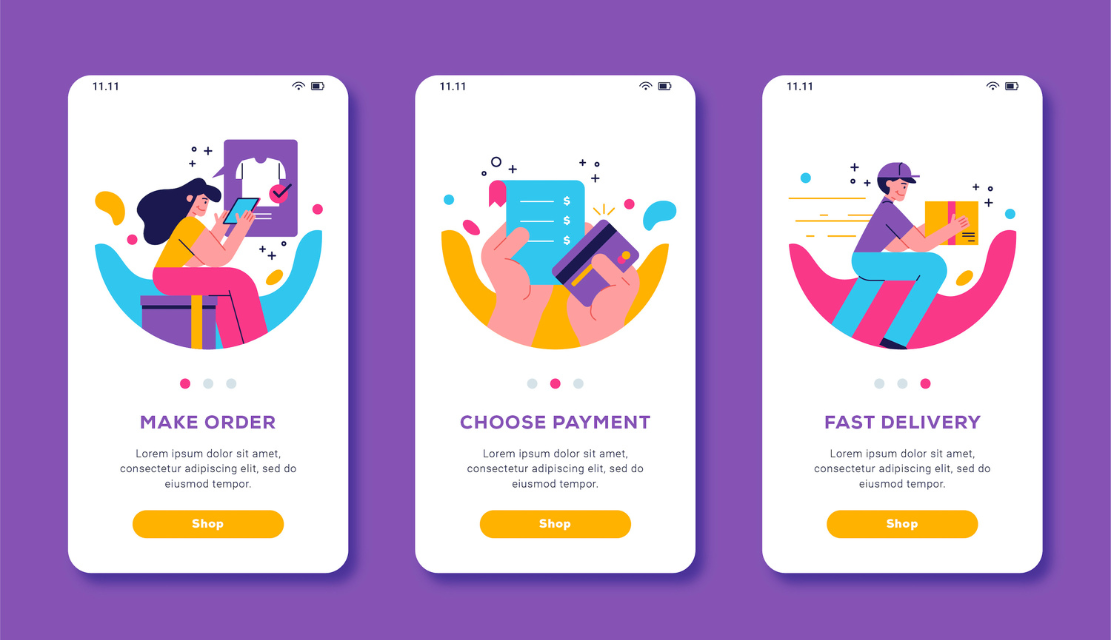
You sign up for a product that you heard good things about, open it to try it, and hit a wall. A screen with no obvious place to start, no obvious place to go, no indication as to why you should stick around.
That confusion is not minor. It is the point at which most users walk away, not because your product is bad, but because it failed to explain itself in what was likely the only window they had for the user’s full attention.
Onboarding UX Design of that window. It is every interaction a new user has from their sign-up through their first moment of real value, and it’s built to convert from arrivals to active users and active users to loyal ones.
Onboarding UX is not a welcome screen or even a feature walkthrough. It is the complete designed journey that a new user takes from registration to the time that she or he first experiences real product value.
Designers refer to that as the aha moment. Every element in good onboarding, the copy, the steps, the timing of prompts, should exist to get to it as quickly and as clearly as possible.
Poor onboarding is not a UX failure. It manifests itself as a revenue issue.
The scale of this is important.72% of users abandon an app during the onboarding process if it requires too many steps. That is almost three in four acquired users gone before they have seen what your product is capable of doing.
The upside is equally significant: structured onboarding increases user retention by up to 50%. That is not incremental improvement; it is the difference between a product that compounds growth, vs. one that is constantly churning.
Different products demand different approaches. Choosing the right type for your context is where good onboarding all begins.
The best onboarding is not seen. Users pass through the product, make progress, experience value, and do not feel guided.
Every aha moment of every product is different. The constant is that principle: design toward it, cut what delays it, and get out of its way the moment that users arrive.
Most failed onboarding flows fail in the same way. These are mistakes that you can avoid once you realise them.
The last of those mistakes is the most important one. Partnering with a ux testing consultancy to conduct moderated observation sessions helps expose blind spots that internal teams, regardless of skill cannot see when they are too close to the product.
Start with the aha moment. Identify exactly when a new user gets their first bucket of value, then design backwards; all screens exist to get users one step closer to that.
Then audit what you have and make cuts to anything that does not serve that purpose. A good ux testing agency, India-based loan or international team,m can have live observation sessions and funnel analysis to demonstrate exactly where users slow down, hesitate, or leave silently.
Then measure: completion rate per step, time to first action, day one, and day seven return rate. These numbers provide a guide as to what to fix next and confirm when a change really has worked.
There is no neutral onboarding. Every decision made in the first-time user experience will either build confidence or destroy it. Nothing is passive; everything communicates.
The products users come back to, Notion, Figma, Slack, were built with great first experiences on purpose. They made the next step obvious, progress satisfying, and return visits natural. That was not an accident. It was designed.
Your onboarding is the first promise of your product to all your new users. So make it clear, make it easy to act on, and make sure it delivers. Those who experience a great first session are the ones who stay.
Our team builds and tests onboarding flows that guide users to value fast and keep them engaged long after.
Start the conversation.
A product tour displays features. Onboarding UX is the entire process from sign-up to first real value, getting to the user’s aha moment, the moment when the value of the product clicks, as efficiently as possible.
As short as it takes to get going on one meaningful first action. Under five minutes in the case of consumer apps; fifteen to twenty in the case of complex B2B tools. If a step cannot be justified for moving users towards value, reduce it.
Yes. Forcing people to walkthrough before they can explore is a recipe for friction and a cause of abandonment. A skip option is an option that honours learning differences and builds trust. Make it easy to go back and re-onboard at any time for those who want it.
Completion rate per step, Time to take first key action, activation rate, and day one return rate. Also, watch new user support volume – high counts for tickets are indicative of questions that onboarding should have been able to answer before users felt lost.
Same principles, different execution. SaaS needs role-based flows because users have different goals. Mobile demands tighter, faster flows because users will not tolerate lengthy walkthroughs on small screens.
Yes. One question at sign-up about role or goal allows the product to customize guidance for the situation of individual users. Relevant content gets completed at a higher rate. Use those answers all the way through the entire flow, and not just at the beginning.
Same principles but different execution. SaaS requires role-based flows, as the users have different objectives. Mobile requires tighter, faster flows because users won’t be willing to find themselves walking through lengthy walkthroughs on small screens.
Directly. Most beginning support tickets are basic how-to questions that good onboarding should have the answers to up front. When users are able to complete first actions with confidence, new user ticket volume is visibly and measurably reduced.
Designing for what the team wants to see, rather than what users need to do. New users are looking for one reason to stay, not an overview of features. Great onboarding is defined by what it leaves out as much as what it includes.

C – 81C, Sector – 8, Noida 201301, India


1025 Beamon Drive, Franklin 37064 Tennessee, USA
Sveavagen 34 111 34 Stockholm, Sweden
A-10, Sahastradhara Rd, Doon IT Park, Dehradun, Uttarakhand

© 2026 UX STALWARTS. All rights reserved.

