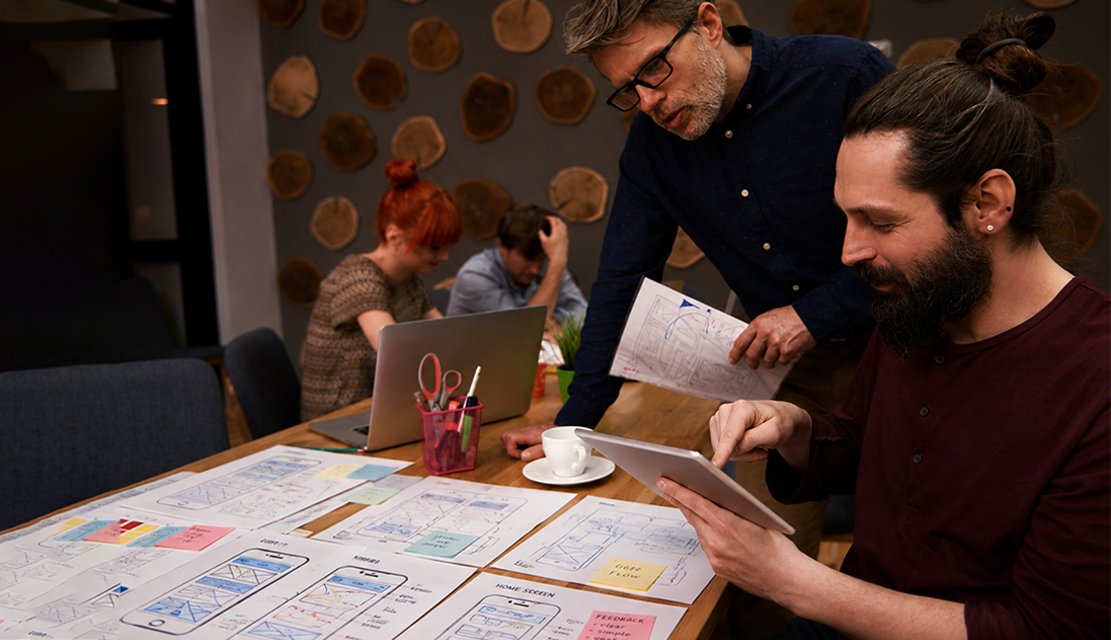
Web applications fail when designers confuse them with marketing websites. A dashboard optimized for visual impact loads slowly when filled with real customer data. A form that delights new users frustrates power users who fill it fifty times daily. A settings page that looks beautiful in Chrome collapses in Safari because browser compatibility was treated as an afterthought. A single-page application that bounces through loading states reveals rendering choices that never considered users on weaker corporate networks. Weak web application design shows up as enterprise deals slipping during browser compatibility checks, admin users building workarounds in spreadsheets to avoid the official tool, support ticket volumes rising around data-entry friction, and subscription renewals stalling because daily users do not actually enjoy the product they pay for.
Our approach treats web applications as functional software that happens to run in browsers, not brochure sites with extra screens. Before any artboard is produced, our team studies how target users actually work including data volume patterns, keyboard preference, browser environments, and the specific moments where web app users need speed and reliability most. From there we deliver research-backed information architecture, data-dense interface screens, keyboard-first interaction patterns, admin consoles, component libraries tuned for web application complexity, and handoff files prepared for React, Vue, Angular, or framework-agnostic implementations. As a specialized web app design company, we engineer the moments that decide daily productivity: bulk operations, complex forms, reporting, and the quiet interactions users repeat hundreds of times weekly.
Eighteen years of design work across thirty-plus countries gives our team practical fluency in how web applications actually perform under real enterprise and consumer conditions. UX Stalwarts has partnered with early-stage founders launching SaaS products for first enterprise logos and with established brands modernizing aging internal web tools used by thousands of employees daily. Our designers collaborate with front-end engineers across React, Vue, and Angular stacks, work alongside back-end teams shaping API contracts, study browser performance profiles, and speak the vocabulary of SPA hydration, server-side rendering, data virtualization, keyboard trap avoidance, ARIA roles, and the small details that separate web apps users enjoy from web apps users tolerate. That grounding separates generic agencies from a web application design company capable of shifting real productivity numbers.

Browsers are not identical rendering engines. Chrome, Safari, Firefox, and Edge handle subpixel rendering, form controls, and CSS features differently. Our designs account for real browser compatibility rather than assuming Chrome behavior represents the full audience, protecting enterprise deals that depend on support matrices covering older browsers many organizations still run.

Web apps carry dense data tables, admin grids, reporting dashboards, and complex forms that would overwhelm phone audiences. Our designs engineer visual hierarchy, scanning patterns, filter behavior, and sort conventions for professional users who need to process hundreds of rows efficiently. Information density becomes an asset rather than cognitive overload because craft decisions respect how power users actually work.

Power users live on keyboards. Tab order, keyboard shortcuts, form navigation, bulk-action patterns, and focus management receive deliberate design attention rather than being treated as accessibility afterthoughts. Web app productivity actually exceeds desktop native tools when keyboard workflows get genuine craft attention alongside mouse interaction patterns, serving professionals who resent mouse-only interfaces.

Admin consoles, settings panels, and back-office surfaces often get neglected while marketing-adjacent screens receive polish. Our engagements invest equal rigor across customer-facing and internal surfaces, because enterprise buyers evaluate the full product experience during procurement, and daily admin users decide whether software actually works for operations teams long-term.

Progressive web apps blur the line between web application and native app by offering offline support, installability, and push notifications through browser APIs. Our designs evaluate PWA viability during discovery so teams understand when progressive web app strategy eliminates the need for separate native app investment and when native builds still serve specific user contexts better.

React, Vue, Angular, Svelte, and emerging frameworks each shape what ships smoothly in production. Our collaboration model includes front-end engineering leads in design reviews so decisions account for framework strengths and constraints rather than producing mockups engineering has to fight during implementation cycles that stretch sprint timelines and introduce unnecessary rework.

Web application interfaces carry measurable consequences when functional craft gets skipped. A cluttered admin console adds hours to daily tasks across hundreds of seats. A data table that scrolls awkwardly pushes analysts to export into spreadsheets and abandon the official tool. A complex form ignoring keyboard workflows frustrates power users who resent mouse-heavy products. Strong web application UI UX design shifts metrics that compound: daily active usage grows among power users, support ticket volume drops, enterprise deals close faster because admin panels impress procurement, and subscription renewals become routine rather than contested. A thoughtful custom web application design partner understands that web apps succeed when they respect professional users rather than impressing casual visitors passing through once quarterly.
Partner with specialists who design web applications professional users enjoy.
Every engagement follows a deliberate sequence built to respect browser realities, handle dense data cleanly, and keep professional users productive through daily workflows.

We begin by mapping the web application reality around your product: target user roles, browser support matrix, device mix, network conditions, and framework choice between React, Vue, Angular, or server-rendered approaches. Existing analytics, support ticket categories, and user feedback establish the measurable baseline every design decision must improve meaningfully across admin, power user, and casual user segments simultaneously.

Web applications serve distinct user roles with different rhythms and permissions. We separate administrator, power user, analyst, casual user, and read-only viewer journeys into independent maps documenting task frequency, data volume, keyboard preference, and permission scope. These artifacts guide every subsequent screen decision so role differentiation stays crisp rather than forcing one interface to satisfy everyone poorly.

Web application information architecture must handle volume professional users actually encounter. We structure data table behavior, filter logic, sort conventions, bulk-action patterns, empty states, error recovery, and reporting hierarchies through tree testing and card sorting with real users. Dense data interfaces get designed deliberately rather than scaling casual-user patterns that collapse under real volume during actual production workloads.

High-fidelity screens across customer-facing surfaces, admin consoles, reporting dashboards, and settings panels ship alongside a component library tuned for web application density. Responsive web application design patterns adapt gracefully across desktop, tablet, and mobile breakpoints without sacrificing power-user efficiency on primary desktop contexts. Accessibility review including ARIA semantics and keyboard trap avoidance happens before engineering handoff.

Designs face validation across the browser and device matrix target audiences actually use. Chrome, Safari, Firefox, and Edge compatibility, performance on lower-tier corporate machines, behavior on slow networks, and mobile browser adaptations get tested before engineering commits sprint cycles. Edge cases like browser back-button behavior, deep-link handling, and session expiration recovery receive explicit design attention rather than being discovered during QA late during implementation.

Post-launch, web application analytics guide continuous refinement. Daily active usage segmented by role, task completion times, error rates, support ticket categories, browser-specific issues, and feature adoption are monitored against the Phase One baseline. Revisions ship aligned with your engineering sprint cadence and browser evolution so the application stays current as browsers add capabilities and deprecate legacy behaviors through release cycles that happen quarterly now.
Drawn from over one thousand engagements, these projects reflect measurable outcomes across SaaS platforms, internal enterprise tools, admin consoles, and customer-facing web applications launched globally.
Foundational values behind every web application engagement are browser discipline, functional honesty, and daily-use respect. Teams evaluating top web application design companies weigh web-specific craft against execution reliability, and both matter in real functional software work. From founders launching first SaaS products to established brands modernizing enterprise web application design across years of feature accumulation, our team operates across the maturity spectrum. Design decisions balance immediate user needs against the architectural runway web applications create for efficient long-term feature velocity.
Industry coverage spans customer-facing SaaS platforms, internal business tools, admin consoles, analytics and BI dashboards, CRM systems, marketing automation platforms, HR systems, finance software, healthcare administrative applications, logistics dashboards, and developer tools. Our SaaS web app design agency work extends across B2B and B2C web application contexts. Pattern transfer from B2B web design services engagements across categories sharpens decisions on whether professional web app UI design should emphasize power-user efficiency or casual-user onboarding based on actual audience workflow patterns specifically.

Choosing the best UI UX agency for web apps comes down to functional fit, not reputation alone. UX Stalwarts has been cited in SaaS and enterprise publications, shortlisted for international design awards, and referenced in web application case studies because the output lifts daily productivity, adoption, and renewal rates rather than just refreshing visual mockups for marketing screenshots that power users would never actually recognize from their daily experience.
Functional Craft Over Visual Flash: Daily productivity shapes every decision from first wireframe, so web applications actually help professional users accomplish real work rather than impressing casual visitors passing through briefly.
Browser Compatibility As Design Input: Support matrices covering Chrome, Safari, Firefox, and Edge shape decisions early, so enterprise buyers never discover compatibility gaps during procurement review that kill deals.
Keyboard And Power User Focus: Keyboard shortcuts, tab order, bulk actions, and power-user workflows receive first-class design attention, so professional users actually prefer web apps over alternative tools they might defect toward otherwise.
Our studio uses category-leading tools selected for framework-ready handoff, browser testing precision, and component library discipline across every enterprise web app design engagement and custom web app design services project we deliver.









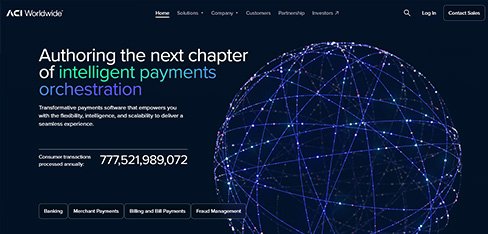
When you process $14 trillion in daily payments, the difference between 99.94 and 99.99 percent success represents billions of dollars. UX Stalwarts designed a web application that helps operators find and fix payment exceptions in 45 seconds instead of 12 minutes. That precision in payment operations UX directly protects the financial system.
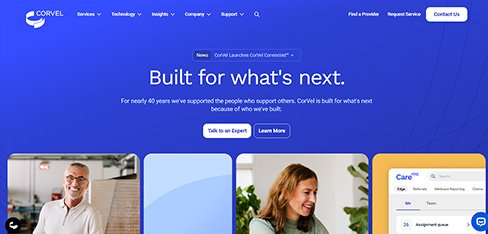
Claims adjusters clicking through 11 screens to process a single workers’ comp claim was wasting time that should be spent helping injured workers return to health. UX Stalwarts designed a web application that puts everything on one screen with AI handling routine work. Processing time dropping 54 percent means faster determinations and better outcomes for injured workers.
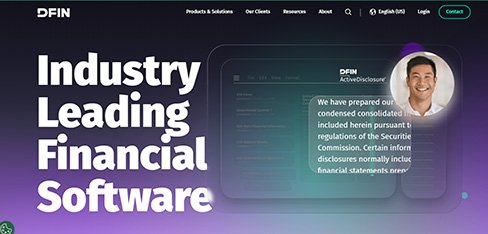
Financial institutions emailing Word documents back and forth to prepare SEC filings in 2025 is indefensible. UX Stalwarts designed a web application that makes regulatory filing as collaborative as Google Docs with AI quality checking. Filing time dropping 55 percent and errors falling from 6 to 1.2 percent proves that regulatory technology UX directly reduces compliance risk.
The questions product and engineering leaders ask before choosing a web app design partner.
Start with functional specificity. A studio that primarily designs marketing websites will miss where web applications actually fail during daily use. Candidates among top web application design companies worth considering bring dense data interface experience, keyboard workflow discipline, and browser compatibility awareness rather than conversion-focused landing page portfolios. Ask for before-and-after productivity metrics, admin user feedback, and browser support evidence rather than aesthetic case studies alone. Check experience with React, Vue, or Angular handoff depending on your stack. A credible web app design company defends decisions to product, front-end engineering, and enterprise customer leads simultaneously rather than only marketing stakeholders who evaluate different success criteria. For teams comparing the best web application design firms shortlist, the Best Web Application Design Agency on your roster will typically defend tradeoffs with browser support data and shipped admin user metrics rather than aesthetics alone.
Pricing for web application design services varies with scope, role complexity, and data volume handled. A focused audit on an existing web app typically starts in the low five figures. A complete web application UI UX design engagement covering research, role and workflow mapping, data architecture, interface craft, and a component library usually runs mid-five to six figures. Enterprise web application design programs involving admin consoles, multi-tenant theming, or regulatory compliance reach higher. SaaS web app design agency engagements for growth-stage products often scale with expansion revenue runway. Web app design services pricing depends on role count, data complexity, browser support requirements, and post-launch support across framework update cycles meaningfully. Pricing for Professional Web App Design Services and Web App UX Design Services scales with role complexity, and broader Web Application Design Services budgets vary by browser support depth and component library scope.
Timelines depend on scope and role complexity. A targeted audit with prioritized recommendations typically takes four to six weeks. A single-surface redesign like a dashboard or admin console runs eight to twelve weeks including browser validation. A complete custom web application design engagement covering discovery, role and workflow mapping, data architecture, interface craft, and a documented component library generally runs sixteen to twenty-four weeks. Enterprise rebuilds involving legacy replacement, multi-tenant theming, or compliance attestation extend further. We scope in two-week milestones aligned with your sprint cadence so product, engineering, and enterprise customer teams can evaluate progress continuously across real cohort data rather than only final presentation moments that miss issues. A Custom Web Application Design Agency engagement typically follows the sixteen to twenty-four week pattern, while a SaaS Web Application Design Agency partnership often runs lighter cycles aligned with continuous release cadence.
A structured engagement follows six sequential phases. First, web context discovery maps user roles, browser support matrix, and framework choice. Second, role and workflow mapping separates administrator, power user, analyst, and casual user journeys into independent documents. Third, data architecture validates table behavior, filter logic, bulk actions, and reporting hierarchies through tree testing. Fourth, interface craft produces high-fidelity customer-facing and admin screens with responsive patterns. Fifth, browser and device validation tests designs across the full support matrix. Sixth, post-launch iteration tracks productivity metrics. This disciplined web application design process reflects UI UX best practices for web apps distilled from shipped engagements rather than generic agency frameworks adopted for marketing alone. This phased Web Application Design solution sequence anchors every Custom Web App UI UX Design Services engagement we deliver, keeping discovery, craft, validation, and post-launch iteration linked rather than disconnected milestones.
Three things separate our web app work. First, functional craft over visual flash. Daily productivity shapes every decision from first wireframe rather than visual impressions designed for marketing screenshots. Second, browser compatibility as design input. Chrome, Safari, Firefox, and Edge realities shape decisions early rather than becoming QA surprises. Third, keyboard and power user focus. Shortcuts, tab order, and bulk actions receive first-class attention rather than accessibility afterthought treatment. A proven web application design company applying these commitments consistently appears on shortlists when teams evaluate partners. Portfolio polish alone rarely reveals whether a studio has shipped web applications enterprise admins actually enjoy using daily over extended timeframes. A Professional Web Application Design Company holding these commitments behaves differently from a generalist agency, and a Web Application UI UX Design company with shipped enterprise references typically earns repeat consideration on procurement shortlists.
Starting is deliberately lightweight. A brief discovery call covers product stage, target user roles, browser support requirements, framework choice, known pain points, and desired outcomes. Within five working days you receive a scoped proposal covering phased milestones aligned with your sprint cadence, deliverable samples, team composition, timeline, and commercial terms. A paid pilot sprint focused on one high-leverage surface like an admin console or dashboard is available for teams wanting to test chemistry before committing to full engagement. Most clients move from first conversation to kickoff within two weeks. You can begin with a short enquiry, share product documentation under NDA, or explore related capabilities through our broader UX design services page. Whether engaged as a Web App UI UX Design Agency or a focused Web App UX Design Agency partner, our pilot scope can frame Custom Web App UI UX Design Services alongside SaaS Web Application UI UX Design Companies engagement patterns so teams test fit before committing larger budgets.
Several adjacent capabilities compound the impact of web application product design. A mature design system accelerates every feature release and protects consistency across customer-facing, admin, reporting, and marketing surfaces built from shared tokens. Conversion rate optimization sharpens signup and activation funnel performance for SaaS products through continuous A/B testing on onboarding flows. Dedicated usability testing, accessibility audits covering keyboard and screen reader navigation, and motion design for state transitions complement core work. Benefits of web application design compound further when paired with dedicated UX research retainers validating new features before sprint commitment during quarterly planning cycles specifically. Companion capabilities like Web App Product Design Services covering full lifecycle craft and Web App UI Design services focused on visual layer refinement compound the impact of foundational web application work meaningfully.
Every engagement is scoped around the specific web application, not a template. A consumer SaaS product has different needs than an internal enterprise admin tool. A BI analytics dashboard requires different hierarchy than a CRM platform. A developer-focused product demands different conventions than a marketing automation tool. Our UI UX design for web apps adapts across SaaS, internal tools, analytics, CRM, finance, healthcare, HR, and developer-tool categories. Progressive web app products follow different patterns than traditional multi-page applications. Discovery produces a custom engagement plan accounting for user base composition, role complexity, data volume, framework constraints, and commercial priorities specific to your product roadmap and enterprise customer expectations. Modern Web Application Design Firms scope engagements around specific product context rather than templates, and SaaS Web Application UI UX Design Companies in particular tune patterns for trial activation, multi-tenant theming, and tier-based feature gating.
Yes, and it is usually where meaningful web app wins show up as products mature. After launch, real usage patterns often differ from research predictions in small but important ways, and browser evolution requires ongoing alignment. Retainer options cover ongoing design iteration, component library expansion, framework version upgrades as React, Vue, or Angular advance, seasonal feature releases, periodic usability studies with power users, and accessibility improvements across minor updates. A dedicated responsive web application design partnership keeps that rhythm consistent through evolving framework capabilities. Remote validation plays a central role here, covered in our guide to remote usability testing for distributed enterprise and consumer web app cohorts across regions. Ongoing Responsive Web Application Design Solutions cover breakpoint behavior as browsers evolve, and a sustained web application responsive design agency partnership keeps tablet and mobile contexts aligned as framework versions advance through release cycles.
Coverage spans SaaS platforms, internal enterprise tools, admin consoles, analytics and BI, CRM, marketing automation, HR, finance, healthcare administrative, logistics, developer tools, and customer-facing web applications. Clients range from pre-launch founders to established brands across India, the United States, the United Kingdom, the GCC, and Southeast Asia. A regionally experienced team understands that Indian enterprise buyers often operate global capability centers with large CoE teams, US markets prioritize SOC 2 readiness alongside user experience, GCC markets increasingly require Arabic-first interfaces with right-to-left layouts, and SEA markets mix enterprise and consumer web app usage extensively. India delivery advantages make us a strong option for global founders seeking best UI UX agency for web apps expertise alongside cost efficiency meaningfully. Vertical coverage includes Healthcare Web Application UI UX work shaped by HIPAA-aware workflows and patient data sensitivity, while engagements aligned with Ecommerce Web Application Design Agencies cover catalog dashboards, merchandising consoles, and order management surfaces.
Power user experience reflects specific design decisions. Our method combines four techniques. First, keyboard shortcuts for every common action, discoverable through hover tooltips and a dedicated shortcuts reference. Second, bulk operations treated as first-class features rather than admin afterthoughts, letting users process hundreds of items efficiently. Third, customizable views and saved filters that respect how professionals return to specific workflows repeatedly. Fourth, inline editing and quick actions that remove modal-heavy friction typical of consumer-first thinking. UI UX best practices for web apps built on power-user respect often produce web applications that professionals actually prefer over native alternatives, extending product reach across subscription tiers meaningfully. Professional Web App Design firms applying these power-user disciplines consistently produce web apps that beat native alternatives, and our Web App UI UX Design Agency team treats keyboard shortcuts as first-class craft rather than a checkbox accessibility item.
Accessibility shapes design inputs rather than post-launch patches. Web application accessibility expectations include full keyboard navigation across every interactive element, ARIA roles and semantic HTML for screen reader support, focus management across dynamic content updates, color contrast meeting WCAG 2.2 AA standards, respect for reduced-motion preferences, and scalable type respecting browser zoom settings. Our article on UX accessibility audits covers broader inclusive thinking. Accessible web applications widen total addressable market meaningfully, satisfy enterprise procurement accessibility requirements that many regulated industries mandate, and protect against regulatory exposure like ADA lawsuits in US markets where web accessibility increasingly faces enforcement action against commercial products. Accessibility shapes every Web App UI Design services brief from the first wireframe, and a credible Web App UX Design Agency partner treats WCAG 2.2 AA as baseline rather than enterprise-only upgrade.
International web application launches demand more than translated strings. Font rendering for CJK and Indic scripts requires specific testing in web environments, right-to-left layout support for Arabic and Hebrew affects complex layouts including data tables and admin sidebars, text expansion for German and Russian pushes forms and navigation past narrow breakpoints, and cultural symbol sensitivity varies sharply. Our article on multi-language interface design for global platforms covers broader approach. Web applications benefit from localization-first design because retrofitting multi-language support across component libraries and data table layouts costs substantially more than designing expansion-tolerant systems from initial wireframes onward through production cycles. International readiness depends on a web application responsive design agency approach to flexible breakpoints, and Responsive Web Application Design Solutions tuned for localization expansion absorb German text growth and right-to-left Arabic layouts without breaking dense data tables.
Yes. Web application design systems carry specific requirements beyond general product systems. Components must handle dense data tables with sortable columns, complex form patterns including validation and inline editing, permission-aware interface states, multi-tenant theming where applicable, browser compatibility across support matrices, localization expansion, and accessibility across keyboard and screen reader contexts. Our system engagements produce tokenized foundations, a production-ready component library, documented accessibility behavior, animation patterns respecting browser performance, and handoff kits for React, Vue, or Angular implementations. For long-running web applications, stewardship matters, which we cover in our article on design system governance.
Measurement begins before design. During discovery we capture baselines for flows being redesigned: daily active usage segmented by role, task completion times, error rates, support ticket volume, feature adoption rates, admin user satisfaction scores, and browser-specific issue frequency. After launch the same metrics are re-measured at thirty, sixty, and ninety days, and during quarterly business reviews. Secondary signals include keyboard shortcut usage, bulk-action engagement, power-user retention, and accessibility coverage. Business reviews tie design decisions back to productivity, renewal rates, and enterprise customer satisfaction across segments. Measurement discipline across every web application design engagement separates cosmetic redesigns from durable daily productivity improvement over sustained timeframes meaningfully. Measurement discipline also separates strong vendors from the best web application design firms in our category, and teams ranking the Best Web Application Design Agency on their shortlist often cite measurement clarity above visual taste. A Custom Web Application Design Agency tracking productivity gains, a SaaS Web Application Design Agency surfacing tier-level metrics, Modern Web Application Design Firms validating browser-specific performance, and a Web Application UI UX Design company tying design changes back to renewal rates all behave differently from cosmetic redesign shops. Professional Web App Design firms reporting on bulk-action engagement, Professional Web App Design Services teams comparing Web App UX Design Services outcomes against pre-engagement baseline, and a Professional Web Application Design Company sharing dashboards every quarter make the case for sustained partnership. Adjacent Web App Product Design Services scope tracking discovery through delivery, vertical Healthcare Web Application UI UX measurement tied to clinician workflow gains, and Ecommerce Web Application Design Agencies reporting on merchandising conversion lifts all reflect the same instinct. A complete Web Application Design solution monitored across thirty, sixty, and ninety-day intervals captures sustained business value rather than launch-day applause.

C – 81C, Sector – 8, Noida 201301, India


1025 Beamon Drive, Franklin 37064 Tennessee, USA
Sveavagen 34 111 34 Stockholm, Sweden
A-10, Sahastradhara Rd, Doon IT Park, Dehradun, Uttarakhand

© 2026 UX STALWARTS. All rights reserved.