
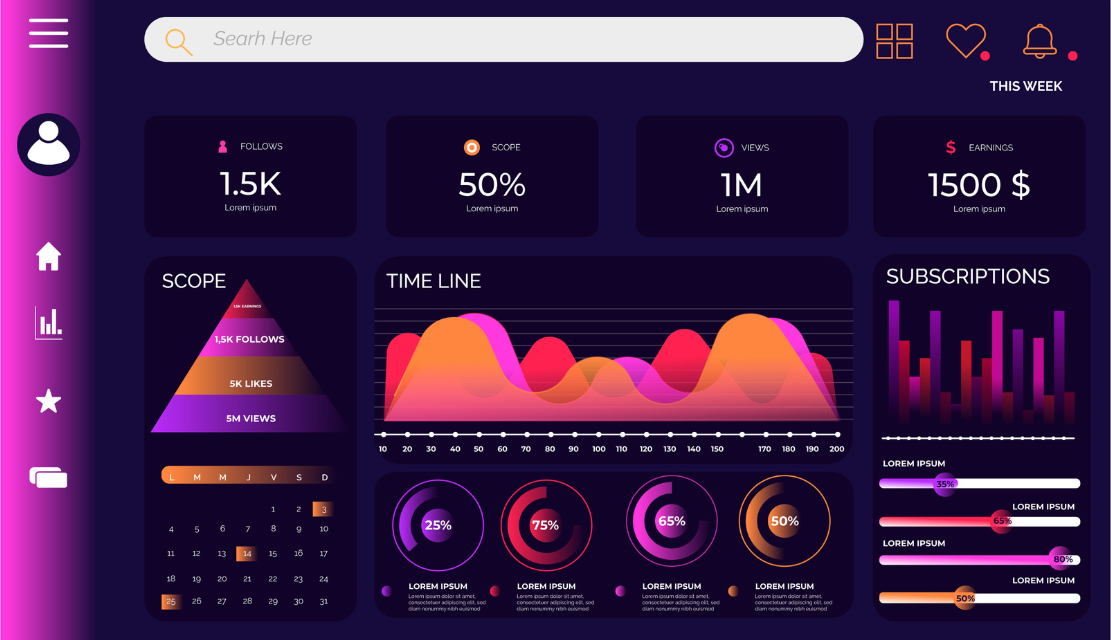
Your marketing manager opens your SaaS dashboard every Monday morning. Multiple widgets are used to display data. Graphs, charts, tables and metrics provide a simultaneous source of distraction. She needs to figure out what campaign to scale; however, the answer isn’t obvious in this visual mess. After fifteen minutes of scanning numbers, she makes her number-pickings based on gut feeling instead of insights. This scenario is costing SaaS companies millions of dollars every year. Dashboards of all the things help no one. Users suffering from ‘decision paralysis’ due to data overflow make slower, worse decisions. The issue isn’t enough data. It’s a poor understanding of architecture, not allowing users to find signals in the noise.
Dashboard UX affects SaaS metrics on business survival. Well-designed dashboards are the driving force for engagement, retention and feature adoption. Poor dashboards lead to abandonment regardless of the quality of the underlying data.
The statistics explain the importance of the dashboard. SaaS dashboards that give users clear and actionable insights to keep them coming back – engagement becomes the differentiator between successful products and churning subscriptions. Users want dashboards that will provide value immediately. When interfaces require a lot of interpretation before providing information, users abandon platforms for competitors with clarity.
Effective dashboards increase the speed of decision-making. Organizations with well-structured analytics dashboards make better decisions faster than their competitors who use spreadsheets or static reports. Real-time visibility into KPIs allows teams with immediate response capability to respond to changes, identify CAC spikes or engagement drops before revenue impact has occurred.
Customization is the Key Driver of User Satisfaction. Interactive, customizable dashboards that let users rearrange their widgets, filter data and save customized views so they can focus on role-relevant KPIs. This is a key factor that makes this more flexible and therefore less overwhelming, whilst also being efficient. Advanced data visualization techniques – radial charts, heat maps, dynamic trend animations – make complex data readable and actionable when applied thoughtfully.
The ROI justifies investment. Every dollar invested in UX is able to bring back 100 dollars of revenue – dashboard design is the perfect example of this, as it helps to transform raw data into a clear data insight that empowers the user instead of confusing them.
More data is not necessarily better insights. Dashboards overloading users with too many KPIs lead to decision paralysis – the cognitive state in which there are so many choices that no choice is made. Users facing twenty-seven metrics at the same time can’t determine which one is the most important.
This paralysis is not without its measurable costs. Managers wasting fifteen minutes reading dashboards before taking action waste thousands of collective employee hours every year. Decisions made with the gut instead of the insights defeat the entire objective of data-driven platforms.
The solution takes prioritisation. Identify the three to five metrics that are directly affecting user success for specific roles. Marketing managers are requires campaign performance, conversion rates and CAC. Finance teams need MRR, churn rate and customer lifetime value. Support teams monitor the number of tickets, resolution time, and satisfaction score
Progressive disclosure becomes of utmost importance. Display key metrics on the fly while providing more in-depth analysis through interaction. Users look at dashboards and can instantly decipher what needs to be done. Anything past this creates noise-reducing effectiveness.
More data is not necessarily better insights. Dashboards overloading users with too many KPIs lead to decision paralysis – the cognitive state in which there are so many choices that no choice is made. Users facing twenty-seven metrics at the same time can’t determine which one is the most important.
This paralysis is not without its measurable costs. Managers wasting fifteen minutes reading dashboards before taking action waste thousands of collective employee hours every year. Decisions made with the gut instead of the insights defeat the entire objective of data-driven platforms.
The solution takes prioritization. Identify the metrics that are directly affecting user success for specific roles. Marketing managers require campaign performance, conversion rates and CAC. Finance teams need MRR, churn rate and customer lifetime value. Support teams monitor the number of tickets, resolution time, and satisfaction score
Progressive disclosure becomes of utmost importance. Display key metrics on the fly while providing more in-depth analysis through interaction. Users look at dashboards and can instantly decipher what needs to be done. Anything past this creates noise-reducing effectiveness.
One interface cannot serve every user equally. Sales representatives, customer success managers, executives, and product teams require different metrics, visualisations, and action triggers.
Design role-specific default views. Sales dashboards prioritise pipeline value, conversion rates, and deal velocity. Customer success focuses on health scores, usage trends, and renewal risk. Executives see high-level business metrics:
Allow personalisation within role frameworks. Users customize which widgets appear, how data displays, and what thresholds trigger alerts while maintaining consistency, preventing complete interface fragmentation. This balance preserves usability across teams while respecting individual workflows.
Permissions-based visibility manages complexity and security. Users see only metrics relevant to their responsibilities. Junior team members access operational metrics while executives view strategic summaries. This segmentation reduces overwhelm while maintaining appropriate data governance.
Saved views enable context switching. Product managers switching between feature adoption analysis and user feedback can toggle between preconfigured dashboard layouts rather than manually adjusting filters repeatedly.
Effective dashboards use visual hierarchy to draw the user’s attention first to the most important information. Size, colour, position and contrast communicate relative importance without having to exert cognitive effort.
Put critical metrics in high places. The closest attention is given to the top-left placement in the Western interfaces. Place primary KPIs, i.e. metrics demanding immediate action in case of anomalies, in this prime real estate.
Use size to denote importance. Most critical data should be displayed in the largest visualizations. Smaller widgets take care of supporting metrics. This visual weighting helps in giving users an instinct of prioritizing the attention and not consciously thinking about the relevance of each and every element.
Colour is used to communicate status and urgency. Green means the performance is good, red means problems need attention and yellow means caution. Consistent colour coding between dashboards allows for quick assessment of status. Do not rely on colour alone as a means of differentiation. Use with icons or labels for accessibility.
White space eliminates claustrophobia. Dashboards that jam as much data into as little real estate as possible are overwhelming to users. Strategic spacing between elements is better for scan reading and comprehension. Space isn’t wasted. It’s a functional design element reducing cognitive load.
Data storytelling represents a connection between insights. Rather than showing isolated metrics, structure dashboards showing cause and effect relationships. Show how marketing expenditure affects CAC, how CAC will relate to customer lifetime value, and how retention will affect MRR growth. Connected narratives make the data meaningful.
Dashboard UX in 2026 will focus on the intelligence enablement of AI, which changes reactive data presentation to proactive decision support systems. These advances transform the dashboards from “what happened” to “what should happen next.”
Predictive analytics reveal trends of the future. Rather than focusing exclusively on past performance, dashboards project probable outcomes based on the current course. Marketing teams are able to see projected increases in CAC before they happen and make preemptive changes to their budgets.
Automated insights surface anomalies. AI identifies patterns that are out of the norm – sudden loss of engagement, unexpectedly high conversion rates, churn indicators – and alerts these automatically instead of people needing to dig deep in data to find them. Natural language explanations are added to visualisations to make insights accessible to non-technical users.
Personalised recommendations motivate action. Systems analysing user behaviour, role and goals provide suggestions on what to do next. “Your trial to paid conversion dropped 12%, consider reviewing onboarding flow” is actionable, rather than raw data that requires interpretation.
Conversational interfaces allow the exploration of data. Users asking “Why is revenue down for the last quarter?” get instant responses with supporting visualisations. This natural language interaction democratizes analytics by making sophisticated analysis accessible beyond data specialists.
Focus on 3-5 primary metrics/personas. More means paralysis of decision-making. Progressive Disclosure – Use progressive disclosure for more depth, not to show everything at one time.
Yes, in frameworks that are role-based. Users require personalisation, yet they require complete freedom to do so, and that brings inconsistency. Provide customisation options without losing structure.
Real-time information about operational metrics that need immediate action (CAC spikes, system alerts). Daily for strategic metrics (MRR, retention). Match with the frequency of decision-making.
Match visualisation to data type: line for trends, bar for comparisons, gauges for single measurements against targets. Avoid novelty charts that are more about aesthetics than clarity.
Assure immediate value – Users should get actionable insights in 10 seconds. If interpretation involves a great deal of analysis, re-design must be done with clarity rather than comprehensiveness.
Showing everything available instead of curating what is important. Prioritisation is the central function of any design – more data results in less insight if it is not well organised.

C – 81C, Sector – 8, Noida 201301, India


1025 Beamon Drive, Franklin 37064 Tennessee, USA
Sveavagen 34 111 34 Stockholm, Sweden
A-10, Sahastradhara Rd, Doon IT Park, Dehradun, Uttarakhand

© 2026 UX STALWARTS. All rights reserved.

