
You’re going through your Instagram feed. Then Twitter. Then TikTok. You don’t click anything. You just scroll. And scroll. And scroll some more. Three hours disappear. You barely remember what you’ve seen.
Now imagine that you are looking for running shoes on Amazon. You’re on page 4, looking at price comparison. You bookmark a few options. Come back later. Pick up entirely from where you left off. Two different experiences. Two totally different design patterns. One makes you mindlessly distracted. The other helps you to actually find what you need.
This is the battle that is going on right now on every website that you visit: Scroll vs Pagination vs Infinite Feed. And in 2026, picking the wrong option doesn’t just drive users nuts – it drives your conversions up in smoke, your engagement into overdrive, and your visitors to your competitors.
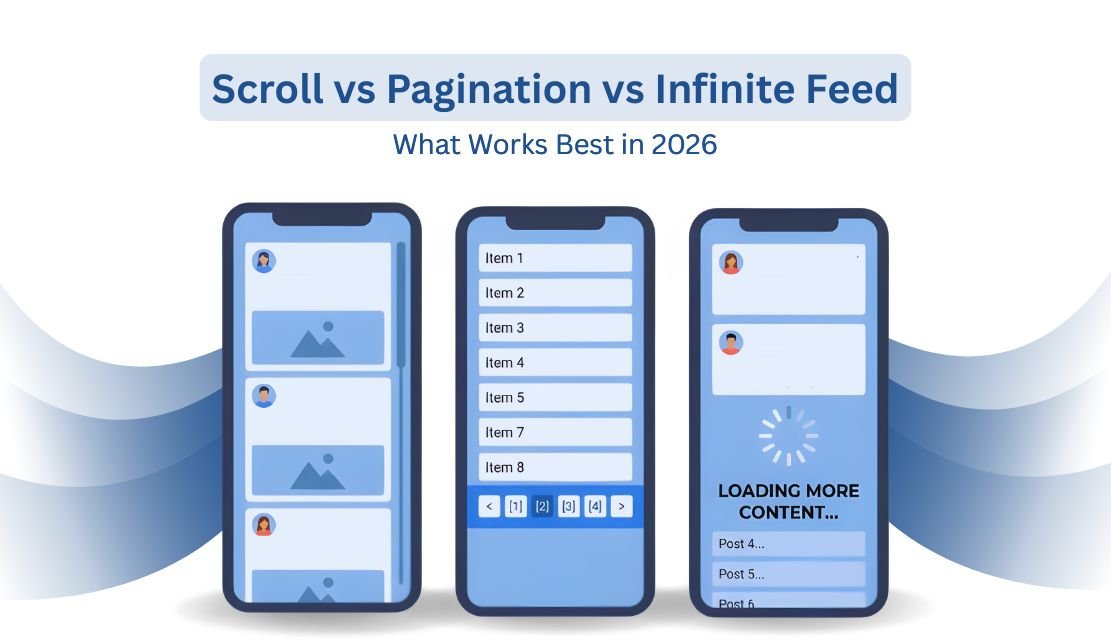
Pagination is used to break up content into individual pages. You click “Next” or page numbers to get more. Think Google search results, Amazon product listings or any forum in the 2000s.
Infinite scroll takes the load of bringing in new content as you reach the bottom of the screen. No clicking required. This pattern is how Facebook, Instagram and Pinterest helped their empires grow.
Then there’s the hybrid: Load More buttons. You scroll to the bottom, you hit a button, and then more content comes. It’s the middle of the road that nobody speaks of but everyone loves secretly.
And each one alters the way in which people interact with your site. And the difference isn’t small.
This was a hard lesson for Etsy to learn. They spent months creating an infinite scroll capability for their search results. The hypothesis sounded obvious, more things seen faster = more purchases.
They were horrifyingly mistaken. When they tested it, their conversion rate was down 22%. People scrolled more but purchased less. They ceased to use search filters. They stopped having a favourite item(s). They just scrolled and scrolled and got out of there without buying anything.
Etsy killed infinite scroll and reverted back to pagination. The lesson? More engagement doesn’t always lead to more conversions.
The average attention span has gone down to 8.25 seconds in 2025, from 12.1 seconds in 2015 on Social Media. Users spend only 1.7 seconds now deciding whether or not to engage or scroll past content on mobile devices. That’s hardly enough time to register what it is they’re looking at.
Pagination is effective if people are searching for something specific. Shopping for products. Researching solutions. Comparing options. Reading forum discussions. Job hunting.
Google searches use pagination for results because you need cognitive anchors. Page 3 means something. You recall roughly where you came across that article. You can come back to it. You can bookmark it. You can share it.
Pagination provides control to users. They know where they are. They are aware of how much content there is. They can jump to the end. They can pace themselves. They don’t get overwhelmed.
E-commerce websites love pagination for a reason. Shoppers compare products. They backtrack. They reconsider. They need that mental map. When one of their spending money, they’d like a structure, and they don’t want chaos.
Social media platforms essentially created the modern infinite scroll. Twitter, Instagram, TikTok, Facebook–they all gambled their businesses on making you scroll.
And it works. For discovery-based content, infinite scroll destroys all others. Pinterest doesn’t want you to discover a specific image and leave. They want you to find things that you didn’t know you needed.
Content feeds, news sites, and inspiration galleries – infinite scroll works hand in hand when the aim is to explore, rather than navigate. When you’re browsing, not looking for, chance is more important than efficiency
Photography portfolios are better with infinite scroll. Design showcase more premium feel. Visual content is never interrupted, and it flows naturally. The experience becomes immersive, as opposed to fragmented.
But there are serious issues associated with infinite scroll. The content of the footer becomes unreachable. People can’t share certain positions in the feed. Performance is good on long sessions. SEO gets complicated. And most damning: people lose their place all the time.
Ever come across a perfect post, clicked on it, hit back, and you end up at the top of the feed? That’s Infinite Scroll violating the fundamental contract between websites and users. It destroys the back button. It frustrates everyone.
Load More buttons silently became the compromise solution in 2026. They provide control to the users and keep the momentum of scrolling. You’re scrolling, you get to the bottom, you click Load More if you want. Or you stop. Your choice.
This pattern solves infinite scroll’s biggest problem, accessibility to footer content. Users are actually able to access your contact information, terms of service, and navigation links. Search engines are able to crawl your pages correctly. Performance remains manageable.
Google Images uses this system. You get automatic scrolling in the beginning, then you get a Load More button. It achieves a balance of engagement and usability. It honours the scrollers as well as the scanners.
Load More is a great fit for product catalogues that are too big for pure pagination but require more control than infinite scroll. It provides users with small milestones. It eliminates cognitive overload. It helps you to get back to content more easily.
On a desktop, it’s trivial to click on pagination links. On mobile, being able to hit tiny page numbers with your thumb is annoying. This is why mobile was behind the infinite scroll revolution.
Mobile users have an instinct to swipe and scroll. Asking them to tap little pagination controls is disruptive to the natural interaction pattern. Infinite scroll is native to touchscreens. Pagination feels clunky.
But here’s the twist in this: mobile users also become more frustrated when they lose their place. Mobile screens are smaller. Scrolling back to find something is more time-consuming. The cognitive load is higher.
Load More buttons are shiny for mobile. Big, tappable targets. Clear progress markers. Easy to use with one hand. They combine mobile-friendly scrolling with necessary control.
Pagination is out of the box SEO-friendly. Each page is a separate URL. It is easily crawled by search engines. Users are capable of sharing specific pages. Deep links work perfectly.
Infinite Scroll is an SEO Nightmare. All content lives on one URL. Without proper implementation, search engines follow only the first bunch of things. Your beautiful catalogue is invisible to Google.
You can solve the issue of infinite scroll as far as SEO. Use the History API to change URLs when users scroll. Use proper rel=”next” and rel=”prev” tags. As fallbacks, create paginated component pages. But it’s complex. Most teams mess it up.
Load More buttons are split in the middle. You can gradually improve them using JavaScript and have crawlable links for search engines. Best of both worlds.
The honest answer: it depends.
Use pagination when users are searching for specific things. When they compare options. When they need structure. E-commerce product listings. Job boards. Search results. Research databases. Forums.
Use infinite scroll when finding discoveries is more important than navigation in social feeds. News aggregators. Inspiration galleries. Photo sharing. Design portfolios. The content of the journey is the goal.
Use Load More buttons when you want to have the low friction of scrolling without the issues of infinite scroll. Long product catalogues. News archives. Blog posts. Comments sections. Anywhere pagination has a way of being too stiff, and infinite scroll is too messy.
Don’t copy what’s trendy. Experiment and test what works for your users. Etsy assumed infinite scroll would lead to an increase in conversions because other sites used it successfully. They were wrong. Context is more important than trends.
Ask yourself – are users browsing or searching? If browsing, try to lean towards scroll-based solutions. If searching, use pagination.
Do users require access to specific items? Pagination wins. Are they finding content that they didn’t know they wanted? Infinite scroll or Load More is better.
How important is your footer? If it has important navigation/legal links, do not use pure infinite scroll. Use pagination or Load More.
What’s your primary device? Traffic from mobile devices is in favour of the scroll. Desktop: Heavy traffic can manage pagination effectively.
Can You Keep Performance Up With Long Scrolls? Loading hundreds of items causes the infinite scroll to crash on weak devices. Pagination keeps pages lightweight.
The pattern you choose influences the way people experience your content. Scroll patterns are modern and chaotic. Pagination has a structured feel but seems dated. Load More buttons are balanced but have to be implemented intentionally.
Choose according to user intent, and don’t choose based on aesthetics. Test with real users, Not Assumptions And remember: the best UX pattern is the one that helps people accomplish their goals, and not the one that keeps them on your site longest.
Your users did come for something. Help them find it. Whether that’s scrolling, clicking or a combination of both.
Probably not. Etsy tested infinite scroll on its marketplace and found that conversions decreased 22%. E-commerce shoppers compare products, backtrack and need mental landmarks to make purchase decisions. Pagination or Load More buttons are more suitable because they provide user control and allow users to bookmark particular product pages.
Social media is optimized for time spent, not task completion. Infinite scroll removes stopping points – no “next page” button to disrupt your flow. When the purpose is to discover and get users involved rather than find specific content, infinite scroll keeps the user longer. It’s perfect for visual feeds but horrible for goal-oriented tasks.
Infinite scroll – content is automatically loaded when you reach the bottom. Load More buttons force you to click in order to load additional content. Load More gives control to users, footer content is accessible, performance is improved, and it is better for SEO while still retaining scrolling momentum. It is the middle of the road between pagination and infinite scroll.

C – 81C, Sector – 8, Noida 201301, India


1025 Beamon Drive, Franklin 37064 Tennessee, USA
Sveavagen 34 111 34 Stockholm, Sweden
A-10, Sahastradhara Rd, Doon IT Park, Dehradun, Uttarakhand

© 2026 UX STALWARTS. All rights reserved.

