
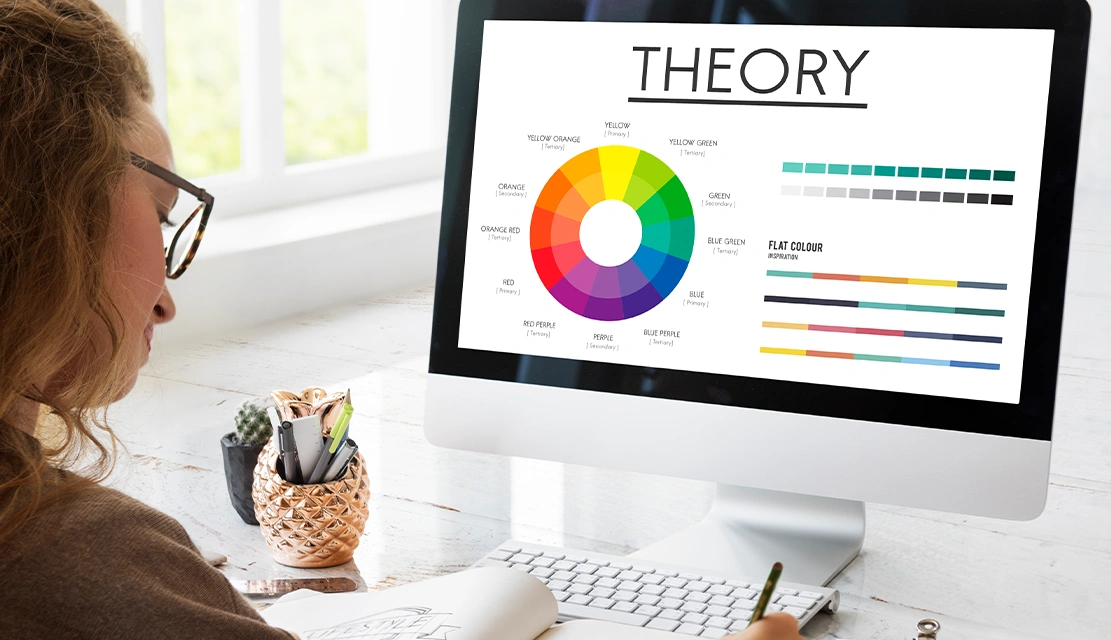
Your app looks professional. Your features work. But users are not clicking the CTA button. Before you do a whole new build of the interface, check your colours. Most companies do not even consider the influence that colour psychology has on the decisions their users make, although research has shown that 85% of purchasing decisions are based on colour alone. The colours you choose don’t just make your product look good – they direct user behaviour and help build trust, and they have a direct impact on conversion rates. Blue creates a sense of security in users to enter payment information. Red is used to create urgency to spur immediate action. Green is a sign of success and promotes progress. When you know how to use each colour to affect the brain, you can create an interface that turns visitors into customers.
Colours communicate before words. Your users land on your site, or open your app, and their brains process colours 60,000 times faster than text. This immediate reaction forms their first impression and affects all of their decisions from then on.
Colour has three important effects on three key business metrics. First, it affects trust – a lot of buyers consider visual appearance when evaluating products, and colour is the dominant visual element. Second, it facilitates engagement-the right colour palette minimises bounce rates because it keeps the user interested. Third, it controls conversions – strategic choices in colour can help drive up CTA.
Research from HubSpot proved this via a simple test. They presented the users with identical buttons, one red and one green. The red button had 21% more clicks because it wasn’t necessarily better, but red is seen as a colour of urgency, while green is considered a color of caution. Context is just as important as colour itself.
For good reason, blue is the dominant colour in digital design. It’s the universally liked colour across all demographics and the most advantageous colour to build credibility with. Facebook, LinkedIn, Paypal and Salesforce use blue because it suggests reliability, professionalism and security.
Users instinctively trust blue interfaces. Financial platforms take advantage of this through the use of blue for dashboard and transaction screens. Healthcare apps use blue because it provides calm environments. Enterprise software uses the colour blue to indicate stability and competence.
The psychology is very simple. Blue reminds people of clear skies and calm water – environments that one feels safe in. This makes users comfortable about sharing sensitive information such as credit card numbers or medical information. If your product deals with money, data, or personal information then blue should be your main or secondary colour.
Red attracts attention more quickly than all other colours. It creates a higher heart rate, a sense of urgency, and encourages the user towards immediate action. YouTube, Netflix, and Pinterest use red because it keeps the viewer engaged and interested in continuously interacting.
Use red strategically. It is extremely effective for CTA buttons, notifications of sales, error messages, and offer messages with time limits. However, too much red is stressful and makes interfaces look aggressive. The important thing is the red colour being used as an accent to focus attention, but not to be too distracting to users.
The psychological effect of red is biological. It is a signal of importance as well as danger that triggers the alert system in the brain. This makes red ideal for buttons you want clicked immediately, but horrible for backgrounds or large sections of the interface.
Green is the signal of growth, success and moving forward. It’s why confirmation messages are green, and why progress bars are green when completed, and why financial apps are green to indicate positive account growth. Slack, Spotify and WhatsApp use green because it is natural and comforting.
Green particularly works in three contexts. First, environmental and wellness products use the colour green to focus on health and sustainability. Second, applications dealing with finances use green for positive aspects such as account growth or approved transactions. Third, any interface with some indication of progress is good for green because it subconsciously tells the user, “you’re on the right path.”
The link to nature provides green with its psychological power. Humans evolved to associate the colour green with life, safety and nourishment, and it is one of the most positive colours in the digital design world.
Yellow attracts attention without the aggression of red. It conveys optimism, energy and approachability. McDonald’s, Snapchat, and National Geographic use Yellow to stand out in crowded markets to create memorable brand identities.
Yellow is the best colour to use as an accent, not a primary colour. Use it for underlining important information, drawing people’s attention to certain elements of the UI, or adding warmth to cold colour schemes. Too much yellow tends to tire the eyes and can seem overwhelming.
The difficulty with yellow is balance. It’s one of the hardest colours to use correctly because with small changes in shade, perception dramatically changes. Bright yellow is energetic; pale yellow is weak; dark yellow is dingy. Test thoroughly before investing in yellow in your interface.
Black communicates luxury, sophistication and power. Apple, Chanel, and Nike use black to position their products as premium. White produces space, clarity and simplicity. Together, they make the backbone of most of the successful colour palettes.
Modern interfaces are rarely pure black or pure white. Instead, designers use dark greys and off-whites, which help avoid eye strain without losing the psychological benefits. Black backgrounds cause colours to pop and create dramatic and modern aesthetics. White backgrounds have a clean, professional, easily accessible feel to them.
The 60-30-10 rule is used to help balance these colours. If you use neutrals, black, white or grey, then use them for 60% of your interface. The application of your secondary colour is 30%. Reserve your accent colour for the last 10%. This helps to create a visual hierarchy without overwhelming the user.
Purple is a colour that stands for creativity, luxury, and exclusivity. Twitch, Hallmark and Yahoo are using purple to make them stand out and provide for specific audiences. Purple is especially effective for beauty brands, creative platforms and high-end services.
Purple is an interesting psychological space. It’s rare in nature, which made the purple dye expensive and exclusive in the past. This association with royalty and luxury is still evident in modern-day design. Use purple when you want to get the message across about sophistication, creativity or exclusivity.
Theory means nothing without application. To begin with, you must identify your main business goal. If trust is what you are looking for, lean towards blue. If you want to have an immediate effect, use red accents. If you’re focusing on growth or success, use green.
Test everything. A/B test different colours for the button, background scheme and accent. What works for one audience may not work for another. Track click-through rates, conversion rates and time on page metrics to measure impact
Consider accessibility from the onset. Ensure text to background contrast ratios comply with WCAG – minimum 4.5:1 for normal text. Eight per cent of men and 0.5% of women are colour blind, so always use more than colour to convey critical information.
Watch cultural variations. Red represents luck in China and danger in Western countries. White is the symbol of purity in the West, but mourning in some parts of Asia. If you are serving international audiences, look up the meaning of colours in your target markets.
Pantone’s choice for 2026’s Colour of the Year was Cloud Dancer, a soft, calming white, indicating a move toward simplicity and clarity. This is in line with the increasing user fatigue from overstimulating digital environments.
Dark mode became “mood mode” where interfaces shifted colour schemes depending on time of day, or based on user preference. Successful designs now take the concept of dark mode as an intention for brand expression, not just an inversion.
AI-generated colour palettes are challenging boundaries with iridescent and hyperreal combinations. The winning approach combines both AI exploration and brand guidelines, letting algorithms find unexpected exploration but then limiting or constraining them within your brand identity.
Accessibility is not a negotiation in 2026. Designs must incorporate good contrast ratios and multiple means of conveying information other than colour, and testing for the different types of colour-blindness
Q1: What color converts best for CTA buttons?
No one colour is universally the winner. Test red for urgency, green for positive actions, blue for trust-based conversion, and orange for friendliness. The best colour is dependent on your brand, your audience, and the elements surrounding your design.
Q2: How many colors should a UI use?
Limit yourself to 3-4 colours max: One primary, one secondary and 1-2 accents plus neutrals. More colours cause visual confusion and diminish brand recognition. Use the 60-30-10 rule of distribution.
Q3: Do color meanings change across cultures?
Absolutely. Red means luck in China and danger in Western countries. White is purity in west but mourning in Asia. The purple colour stands for royalty in Europe, but for death in some countries of Latin America. Do your research on link target markets
Q4: How important is color for brand recognition?
Extremely. Colour increases brand recognition 80%. Research has shown that people form subconscious judgments about products in 90 seconds, and as much as 90% of that can be based on colour alone.
Q5: Should dark mode use different colors than light mode?
Yes. Colours must be adjusted if they are on a dark background to keep contrast and readability. What works on white backgrounds is often not successful on dark backgrounds. Design tokens for each mode of colour.
Q6: Can color choices improve accessibility?
Proper choices of colour are necessary for accessibility. Ensure 4.5:1 contrast ratios for text, avoid red and green combinations for color blind users, and never use colour as your sole indicator of meaning or action.
Ready to redesign for purpose?
Find out how colour psychology might revolutionise the performance of your product.
Contact UX Stalwarts today for a full colour strategy analysis and implementation plan supported by 18+ years of experience among 1,250+ global clients.

C – 81C, Sector – 8, Noida 201301, India


1025 Beamon Drive, Franklin 37064 Tennessee, USA
Sveavagen 34 111 34 Stockholm, Sweden
A-10, Sahastradhara Rd, Doon IT Park, Dehradun, Uttarakhand

© 2026 UX STALWARTS. All rights reserved.

