
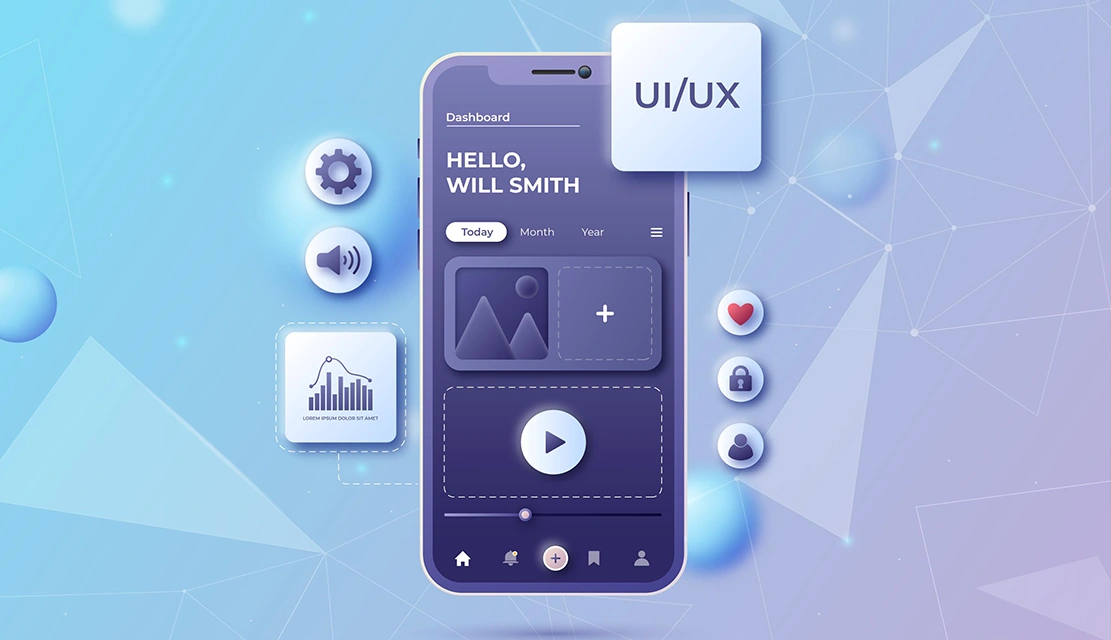
You have been working for months to come up with features. Your backend is solid. Your tech stack is modern. Yet users uninstall your app in the span of days. Here’s the uncomfortable truth in the digital world. A large majority of users stop using apps within just a few days of installation. It isn’t your technology that is to blame; it is your interface. Efficient UI/UX Design is not decoration! It can be the difference between minimal retention and a truly thriving user base. Every interaction helps to develop confidence or wrinkles of friction.
Every screen either leads to users valuing or being confused. Here are 10 business-critical reasons why good UI/UX design can make the difference between the success and failure of your app; i.e., its fate is sealed or lost to the unknown.
Users make their judgment about your app in 0.05 seconds. Did you know that it is faster than thinking? The fact is that your interface either speaks of professionalism and value or brings a foot of suspicion.
This split-second judgment of users makes them engage or uninstall.
Visual appeal is important because it creates perceived usability. Users often judge a company’s credibility largely based on the quality of its design. An efficient UI communicates quality before functionality is tested by the users.
Business Reality: If your app appears to be old-fashioned or confusing for the user to use at first, they won’t wait to figure out what you’re up to. They’ll switch to competitors with interfaces that are easier to use
Most mobile apps see a sharp drop in daily active users within just a few days of installation, and the decline continues steadily over the first month. The primary reason is poor user experience that fails to communicate clear value quickly.
Apps that have efficient UI/UX have significantly better retention. For instance, apps with well-designed experiences tend to retain users far longer, or news apps show much stronger long-term retention compared to education apps with weaker interfaces. The difference isn’t content, it’s presentation and usability.
Business Impact: Even a small improvement in retention can lead to a substantial boost in profitability. Efficient design has a direct impact on these numbers in terms of lessening friction and greater perceived value.
Investing in UX delivers exceptional returns, turning every dollar spent into outsized value and ranking among the most powerful investments a business can make. Companies that put UX first are consistently outperforming competitors in the financial sense.
Efficient UI/UX can help boost revenue through a variety of channels: higher conversion rates, longer session duration, more frequent app usage and better word-of-mouth referrals. Users who enjoy seamless, engaging experiences spend significantly more than those who encounter friction.
Bottom Line: Poor user experiences can drain a substantial share of potential revenue, leaving a significant portion of sales unrealised. Your interface isn’t designed; it’s a revenue architecture.
Acquisition of new users is five to twenty-five times more costly than retention. When you get high churn with your UI/UX, you’re constantly replacing lost users, not growing your base.
Apps with efficient design convert free users to paying customers at better rates and bring down customer acquisition cost per active user. The savings add up due to the organic growth drivers, satisfied users, and referrals.
Strategic Advantage: UX upfront investment will save marketing spend in the long-term and create sustainable growth.
Your app probably has dozens of similar competitor apps. Users do not choose based on lists of features. An intuitive interface is your competitive barrier when functionality commoditises.
Look at successful apps such as Spotify, Instagram, or Airbnb. They don’t provide unique features that the competition can’t duplicate. They provide better experiences that users prefer. Efficient UI/UX Turns Feature Parity into Market Leadership.
Market Reality: With saturated categories, quality design distinguishes itself from the alternatives.
Confusing Interfaces Create Support Tickets. Every unclear button, ambiguous error message or hidden feature creates frustrated users contacting your team. Support costs are proportional to the complexity of the interface.
Effective UI/UX design cuts down support needs by making functionality intuitive and self-explanatory. Clear navigation, useful error messages, and logical information architecture remove confusion before it begins generating support requests.
Operational Benefit: Improved design leads to improved operational overhead, as well as increased user satisfaction.
Both Apple and Google put the user experience first in their ranking algorithms. Apps that have low ratings, high uninstall rates, and negative reviews go down in search results. Efficient UI/UX directly has an impact on these metrics.
Higher ratings are better in organic discovery. Better reviews mean higher conversion from the store page to the install page. Lower uninstall rates are a positive indication of quality to platform algorithms. Design quality creates a cycle of seeing and buying.
Discovery Impact: Poor UX will not expose your app, no matter your features or marketing budget.
A vast majority of apps lose users after just a single interaction.
The deciding factor? Onboarding effectiveness. Efficient UI/UX leads new users to their “aha moment”, the point where they no longer need to be told what your app is good for – as fast and as clearly as possible.
Successful onboarding has nothing to do with lengthy tutorials. It’s an intuitive design, which is where core functions are obvious without explanation. Apps with strong onboarding experiences are far more likely to keep users engaged and coming back.
Critical Window: The first session determines whether users return or not. It is design quality that controls this outcome.
Your app is a representation of your brand every time users open the application. Sloppy design is an expression of carelessness. Confusing navigation implies ineptitude. Efficient UI/UX creates trust by proving you consider the smallest details as well as respect for the user’s time.
More than half of users avoid recommending brands that deliver poor mobile experiences. Your interface will determine more than just the app’s reputation; it will affect brand perception as well.
Brand Reality: Quality of design is identical to the quality of the brand in the minds of users.
You can’t improve what doesn’t work on the fundamentals. Efficient UI/UX is the starting point for data-driven optimisation to yield results. A/B testing, analytics insights and user feedback are only relevant if your core experience is working properly.
Apps that have good design foundations can use the behaviour data to design to continually optimise conversion and engagement. Apps with basic UX issues squander resources on the last-minute resolution of fundamental problems when they should instead be optimising performance.
Strategic Positioning: A good starting design allows continuous improvement. Poor design leads to crisis management.
Efficient UI/UX design is not an option for mobile apps – it is the cornerstone of business success. From first impressions to long-term retention rates, every measure of business success is enhanced when your users can move through your app with ease and achieve their goals in a short time. The apps that win are not those with the most features – they are the ones that users enjoy using.
Efficient UI/UX design helps the users complete their goals with minimal effort and greatest clarity. This means intuitive navigation that has no learning curve, a clear visual hierarchy that helps to direct attention, responsive interactions that give immediate feedback and error prevention that anticipates problems. Efficient design eliminates friction at every touchpoint – from onboarding to their day-to-day use. Technically, this means optimising load times, creating smooth animations, having consistent patterns of interaction, and designing for different screen sizes and operating systems.
Changes for onboarding and critical user flows can display measurable changes in retention in 2-4 weeks. Since the majority of users drop down apps within three days, optimisations focused on the initial experience yield quickest results. However, full-scale UX improvements are usually able to show full impact over 60-90 days as a sample of new user cohorts experience and experience the improved design. Retention of track by cohort, to isolate the specification of the change made and to measure improvements accurately in relation to foundation performance.
Absolutely. Efficient UI/UX helps reduce customer acquisition costs by increasing retention and therefore makes limited budgets work better. Poor design makes startups constantly replace churned users instead of building on an existing base. Start with user research so that you know what core needs exist, and you can focus on simplifying primary user flows and test designs with real users before full development. Many startups waste resources on building features that users are unable to access because they are confused by the interface. This waste is prevented by design investment.
Track metrics such as retention rate, engagement (length, frequency of using the website, app), rate of conversion, rate of support tickets, app store ratings and how much magic happens per user for revenue. Using the results of cohort analysis, compare these metrics before and after design changes. Calculate customer lifetime value increases and reduce customer acquisition cost to calculate the financial impact. Most companies get measurable improvements in a quarter of efficient UI/UX implementation.
AI tools are helpful but can never replace strategic UI/UX thinking. They can create layouts, propose colour schemes, and automate tedious tasks. However, efficient UI/UX requires knowledge of user psychology, business context, technical limitations, and strategic positioning – where human expertise is always necessary. AI tools work best when they are guided by experienced designers who understand user behaviour patterns and how to assess whether AI suggestions serve real user needs. For business-critical apps, invest in professional design expertise augmented by AI tools and not abandoned by it.

C – 81C, Sector – 8, Noida 201301, India


1025 Beamon Drive, Franklin 37064 Tennessee, USA
Sveavagen 34 111 34 Stockholm, Sweden
A-10, Sahastradhara Rd, Doon IT Park, Dehradun, Uttarakhand

© 2026 UX STALWARTS. All rights reserved.

